Table of contents
- Quick summary: server-rendered text and headings across 699 sites
- What E3 tests, and what it does not
- How we measured, and the limits
- The headline: one site in six returns almost nothing
- What the 116 failures actually received
- Nearly half of the failing hosts were also refused elsewhere
- The partials: two different problems share one verdict
- What a pass looks like
- Platform differences
- E3 and C3 are not the same check
- Product notes from the data
- How to fix it, by stack
- WordPress
- Next.js and other JavaScript frameworks
- Static generators such as Astro
- Sites behind a bot wall
- Any site
- Check your own site
- Common mistakes
- Reproduce the numbers
- Your next action
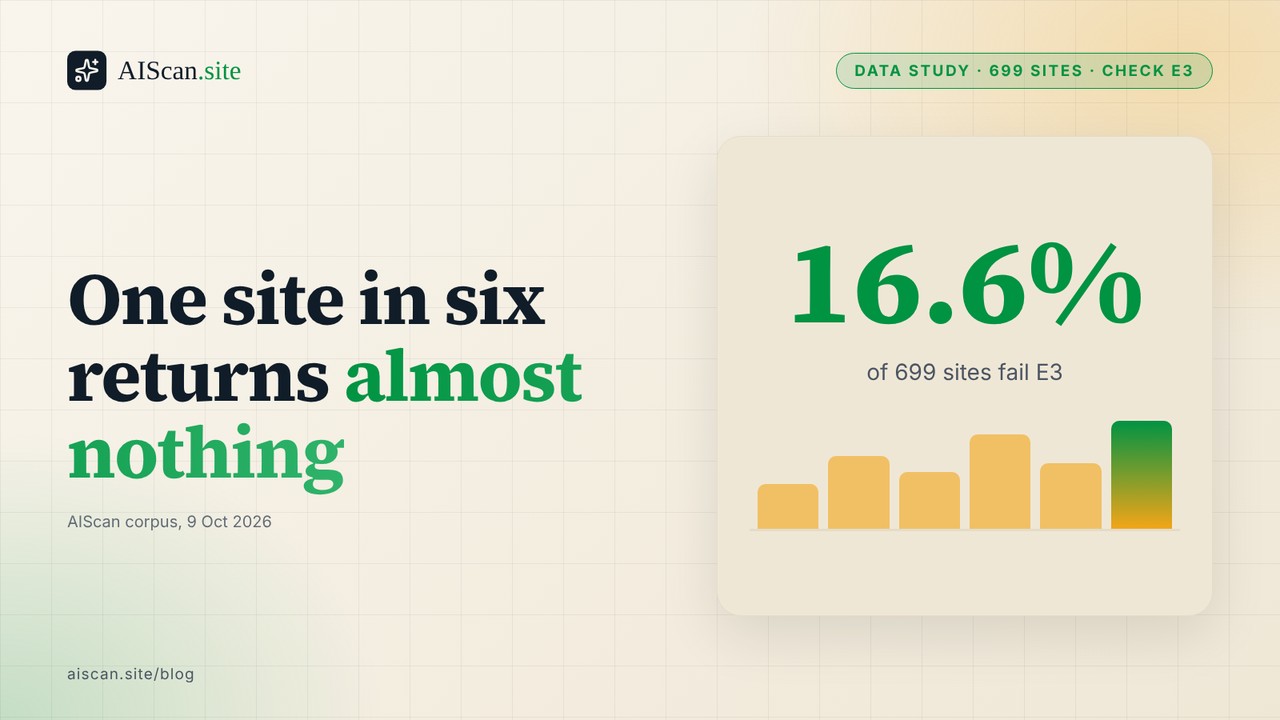
On 9 October 2026 we queried the AIScan database for check E3, the heading and server-rendered text check, across 699 distinct hosts. 498 of them (71.2%) pass. 85 (12.2%) score partial. 116 (16.6%) fail, and every one of those 116 returned fewer than 50 words of text and no second-level heading in the HTML the scanner received. The median site returned 884 words. The worst failures returned 0. If you assumed that nearly every site hands a crawler something to read, the number to remember is one in six.
Our earlier study, How Many Sites Show an AI Crawler a Blank Page, looked at check C3 (title, meta description, JSON-LD and a single h1) and found that most of the C3 failures it sampled were not truly empty shells. This post works on the sibling check. E3 does not ask whether the tags exist. It asks whether there is enough text, and enough outline, for a reader that never runs your JavaScript to make sense of the page.
We give the scoring rule and the limits of the measurement before the tables. Then we show the counts by verdict, by platform and by cause, explain why nearly half of the failures look like blocked probes rather than empty sites, and finish with a fix for each stack and a way to verify it with AIScan (check:E3) or by hand.
Quick summary: server-rendered text and headings across 699 sites
| Question | Answer from 699 hosts | What to do |
|---|---|---|
| How many sites pass E3? | 498 (71.2%) | Treat a pass as the baseline, not an achievement |
| How many fail? | 116 (16.6%), all under 50 words and with no h2 | Check what a plain curl receives from your homepage |
| How many are partial? | 85 (12.2%) | Read the word count and the h2 count in the evidence line |
| What is the most common reason for a partial? | 42 partials have 150+ words but fewer than two h2 sections | Add real section headings to long pages |
| Do failures look like empty sites? | 55 of 116 (47.4%) also got a 403, 429 or 5xx on the llms.txt probe | Allow the scanner, then re-scan before you rebuild anything |
| Which platform fails most? | Hosts with no detected platform: 99 of 263 (37.6%) | Look at the host, not the framework |
| How much text does a pass carry? | Median 884 words across all hosts; the smallest pass has 152 | Aim for 300+ words and at least two h2 sections |
Expert recommendation: According to Vercel and MERJ, whose analysis was published on 17 December 2024, none of the major AI crawlers they measured rendered JavaScript, a group that included OpenAI, Anthropic, Meta, ByteDance and Perplexity crawlers. The same analysis noted that Google's Gemini uses Googlebot's rendering infrastructure. No later first-party replication exists that we could find, so read that as "as last measured, in December 2024", and not as a permanent law. It is the reason E3 reads the raw response and not the rendered page.
Best for a site owner who is unsure: run one curl, count the words and the h2 sections, and compare them with what you see in a browser.
Best for a developer on a JavaScript framework: move the page's main copy into the server-rendered output and keep the interactive parts on the client.
Best for an agency running many sites: scan the list, sort by E3 first, and treat every fail as "probe blocked or shell" until a plain request proves which.
What E3 tests, and what it does not
E3 sits in the content family with C1 (Markdown), C2 (llms.txt) and C3 (structured page signals). You can read the family on the content checks page. The page describes E3 as a weight-4 essential check. AIScan strips scripts and styles from the HTML your server returns, counts the words that remain, and counts the h2 and h3 headings.
The scoring, as the content checks page states it, has two halves worth two points each:
| Signal | Full marks | Half marks | Zero |
|---|---|---|---|
| Server-rendered words | 150 or more (2 points) | 50 to 149 (1 point) | Under 50 |
| h2 sections | Two or more (2 points) | One (1 point) | None |
A pass needs all four points. A fail is zero. Everything in between is a partial. We checked the rule against the data rather than trusting the description: the smallest pass in the corpus has 152 words and two h2 sections, the largest fail has 48 words and no h2, and no host with fewer than two h2 sections passes. The documented rule and the stored evidence agree.
Two things E3 does not test are worth stating now, because they shape how to read the results.
First, it does not look for an h1. That belongs to C3. We return to the consequence below, because 53 hosts pass E3 with no h1 at all.
Second, it cannot tell why a page returned little text. A site that renders everything in the browser, a site that answered the scanner with a bot-protection page, and a site that really is a single line of text all produce the same evidence: a small word count and no sections. Everything that follows keeps that ambiguity in view.
How we measured, and the limits
The corpus is every host scanned through AIScan under rubric version 2026.08.2, reduced to the latest scan per host, with aiscan.site excluded. That leaves 699 hosts. We aggregated in SQL and never selected rows, and no scanned host is named in this post.
Five limits apply before you read any table.
- The sample is self-selected. People scan a site because they want a grade. These hosts are not a random draw from the web, and the pass rate may be higher or lower than the web at large.
- One scan per host, from one scanner. A host that blocks datacentre addresses is under-represented in the passes and over-represented in the fails.
- Word counts are totals, not article lengths. The count includes navigation, footers and cookie text. A page with 884 words may carry 200 words of content.
- The h2 count says nothing about quality. A page can have two h2 elements that read "Menu" and "Footer". E3 counts them anyway.
- Platform labels are partial. 263 of the 699 hosts (37.6%) have no detected platform. A zero in any platform bucket is a limit of detection, not evidence about the platform.
We did not re-probe the hosts. Every number in this post comes from the stored evidence of a scan that already ran, which means we can describe what the scanner received but not why.
The headline: one site in six returns almost nothing
| Verdict | Hosts | Share | Average overall score |
|---|---|---|---|
| Pass | 498 | 71.2% | 63.5 |
| Partial | 85 | 12.2% | 48.6 |
| Fail | 116 | 16.6% | 25.7 |
| Total | 699 | 100% |
The overall AIScan score tracks the E3 verdict closely. The average host that passes E3 scores 63.5. The average host that fails scores 25.7, a gap of 37.8 points. That gap is not caused by E3 alone, since E3 is one check among many and a site that returns nothing to a scanner usually fails the others as well. It does show that a failing E3 is a symptom of a wider problem and rarely an isolated one.
The distribution of words is wide. The median across all hosts is 884. The largest count in the corpus is 50,583 words, on a host that still scored partial because it had no h2 section at all. Length does not rescue a page that has no structure.
What the 116 failures actually received
Every one of the 116 failures returned fewer than 50 words. The largest was 48. The breakdown is more extreme than the threshold suggests:
| Words returned | Failing hosts | Share of fails |
|---|---|---|
| 0 | 28 | 24.1% |
| 1 to 12 | 66 | 56.9% |
| 13 to 30 | 17 | 14.7% |
| 31 to 48 | 5 | 4.3% |
| Total | 116 | 100% |
Ninety-four of the 116 (81.0%) returned 12 words or fewer. That is the size of a title, a cookie notice or a "please enable JavaScript" message. Hosts at 31 to 48 words are rare. The failures cluster at the bottom of the scale and the threshold of 50 words is almost never the deciding factor.
That pattern fits two very different causes. The first is a client-rendered shell: the server sends an almost empty document and a script builds the page in the browser. The second is a wall: the server sends a short challenge or error page to anything that does not look like a browser. The evidence line cannot separate them, but a neighbouring check can help.
Nearly half of the failing hosts were also refused elsewhere
Each scan also probes /llms.txt for check C2. We looked at what that probe received on the 116 hosts that failed E3, and compared it with the passes.
| Group | Hosts | Probe for llms.txt met a 403, 429, 5xx or no response | Share |
|---|---|---|---|
| E3 fail | 116 | 55 | 47.4% |
| E3 partial | 85 | 14 | 16.5% |
| E3 pass | 498 | 6 | 1.2% |
Of the 55 failing hosts, 17 returned a 403, 20 a 429, 12 a Cloudflare 530, and 6 another 5xx or no response at all. A rate limit or a bot wall at the edge looks like a missing page to a scanner that has no way to argue. Among the passes, the same refusals occur on 1.2% of hosts.
This does not prove that 55 sites have healthy pages hidden behind a wall. It does mean the fail rate is an upper bound on how many sites genuinely ship an empty document. The earlier empty DOM study reached the same conclusion from a different direction. Its manual sample of C3 failures found that only 4 of 26 were truly empty shells. The sensible reading is that E3 failures include real shells and real blocks in proportions we cannot split from stored evidence.
The practical consequence is a procedure. Before you rebuild a failing site, request the page the way a scanner does and look at the status and the body. If the status is not 200, you have an access problem, and rewriting your front end will not touch it. If the status is 200 and the body is short, you have a rendering problem.
The partials: two different problems share one verdict
The 85 partials split almost evenly between two causes.
| Why the host is partial | Hosts | Share of partials |
|---|---|---|
| Under 150 words (short page) | 43 | 50.6% |
| 150 or more words, fewer than two h2 sections | 42 | 49.4% |
| Total | 85 | 100% |
The first group has too little text. Eight of them have under 50 words but at least one h2, and 35 sit between 50 and 149 words. These look like thin landing pages, a splash page or an app that renders its marketing copy in the browser and leaves a short headline in the HTML.
The second group is the more interesting one, because the text is there and the structure is not. Forty-two hosts return at least 150 words but have only one h2 or none. Twenty-four of them return 300 words or more with no h2 section at all, and 14 of those return 1,000 words or more. That is a wall of text. A crawler or a language model can read it, but it cannot see where a topic starts or ends, and it cannot lift one section on its own.
Across the whole corpus, 160 hosts (22.9%) have no h2 section. None of them passes. 116 fail and 44 are partial. Another 12 hosts use h3 headings with no h2 above them, which skips a level in the outline.
The fix for the second group is cheap compared with the fix for the first. Adding headings to copy you already publish needs no rendering change. Making a client-rendered page appear in the server output is a different project.
What a pass looks like
A pass needs 150 words and two h2 sections, and most passes clear that comfortably.
| Words returned by passing hosts | Hosts | Share of passes |
|---|---|---|
| 152 to 299 | 20 | 4.0% |
| 300 to 999 | 194 | 39.0% |
| 1,000 or more | 284 | 57.0% |
| Total | 498 | 100% |
Fifty-seven percent of passes return 1,000 words or more. Only 20 clear the line with under 300. The floor of the rubric is low compared with how the typical passing site behaves, so a host that sits just above 150 words is an outlier and not a model.
This is also where the first limit matters most. A 1,000-word count on a homepage can be mostly a mega-menu and a footer. E3 gives such a page full marks. If you want the check to mean something for your own site, read the count against your own idea of the main content, and do not treat a pass as proof that an agent can find your answer.
Platform differences
For the four platform labels with at least 20 hosts:
| Platform | Hosts | Pass | Partial | Fail | Pass rate |
|---|---|---|---|---|---|
| No platform detected | 263 | 129 | 35 | 99 | 49.0% |
| WordPress | 186 | 158 | 27 | 1 | 84.9% |
| Next.js | 161 | 145 | 13 | 3 | 90.1% |
| Astro | 34 | 29 | 1 | 4 | 85.3% |
The three named platforms pass at about 85% or better (84.9%, 90.1% and 85.3%). The platform with no label fails at 37.6%, and it accounts for 99 of the 116 failures in the corpus (85.3%).
Two readings are possible and the data cannot choose between them. The first is that the undetected group is full of hand-built or single-page sites and app shells, which are the sites most likely to render in the browser. The second is that the detector fails to recognise a platform exactly when the response is nearly empty, since there is no markup to recognise. We think both contribute. The practical point is narrower: if you run a named platform with a normal theme or the default server rendering, E3 is almost never your problem. The sites that fail are the ones where the server sends very little to begin with.
Next.js deserves a note. It passes at 90.1%, the highest rate in the table, and that is what you would expect from a framework that renders on the server by default. The 3 Next.js failures and 13 partials in the corpus may include pages that load their main copy in the browser after the first response, a pattern we describe in the fixes below. The evidence does not say.
E3 and C3 are not the same check
C3 requires exactly one h1. E3 does not look at the h1 at all. The corpus shows the gap:
| Group | Hosts | With no h1 in C3 | Share |
|---|---|---|---|
| E3 fail | 116 | 107 | 92.2% |
| E3 pass | 498 | 53 | 10.6% |
Almost every E3 failure also has no h1, which is what you would expect from an empty document. More notable is the second row. Fifty-three hosts pass E3, because they return plenty of text and two or more h2 sections, but have no h1 at all. Their outline starts at the second level. A person would not notice. A parser building a document outline would find no top-level heading, so the page has no stated subject.
Of the 498 E3 passes, 331 (66.5%) also pass C3. The remaining third pass E3 and fall short of C3 for some other reason: no meta description, no JSON-LD, or the missing h1. Passing one of these checks does not carry the other. If you fix E3 first, rescan and read the C3 line next to it.
Product notes from the data
Grouping the evidence strings, as we do before writing about any check, showed three things worth fixing in our own rubric.
- E3 stores counts and no cause. The evidence reads "N words of server-rendered text, N h2, N h3". It records neither the HTTP status of the page nor its size in bytes, so a 403 challenge page and an empty application shell look identical. Adding the status to the line would let a reader separate the two.
- E3 does not check for an h1. A page with 2,000 words and ten h2 sections and no h1 passes with full marks. The documentation describes the ideal outline as one h1 followed by h2 and h3 sections, but only the second half is scored.
- A heading can be anything. Two h2 elements that hold navigation labels satisfy the heading half of the rule. We cannot fix that with a counter, but the report could show the first heading it counted.
None of these changes the headline. About one site in six returns almost nothing to a plain request, and about half of those failures coincide with a refusal on a second path.
How to fix it, by stack
Start from what the evidence line tells you. A line with a tiny word count means the problem is rendering or access. A line with plenty of words and "0 h2" means the problem is structure.
| Evidence you see | What it means | Fix |
|---|---|---|
| 0 to 12 words, 0 h2 | The server sent a shell, or the scanner was turned away | Fetch the page with curl and read the status and body |
| 13 to 48 words, 0 h2 | A short message or splash page | Move your main copy into the server response |
| 50 to 149 words | A thin page | Add 100 words of real content and one h2 section |
| 150+ words, 0 or 1 h2 | Copy without an outline | Add section headings to the text you have |
| 150+ words, h3 but no h2 | Skipped heading level | Promote the top-level sections to h2 |
WordPress
WordPress passes at 84.9% in this corpus, so the common problems are structural. Headings come from your theme and your editor. In the block editor, use the Heading block set to level 2 for each section of a long page, and keep the page title as the single h1. Page builders often add decorative text as headings, so check the rendered source and not only the editor view. If the word count is low on a page that looks full in the browser, look for a plugin or builder that loads sections after the page loads.
Next.js and other JavaScript frameworks
The main copy has to be in the first HTML response. Content fetched inside an effect after the component mounts does not arrive in that response, and neither does anything gated behind a client-only check. As Vercel and MERJ noted, the crawlers they measured fetched JavaScript files in some cases but did not execute them. Fetch the data on the server, render the headings and paragraphs there, and keep only the interactive widgets in client components. Test with a plain request, not with the browser's developer tools, which show the page after scripts have run.
Static generators such as Astro
Static output is HTML by construction, and Astro passes at 85.3% here. The corpus does not show why 4 of the 34 fail. If your build output has the text and the live URL does not, something sits in front of it, such as a redirect, a login page or a password gate. Fetch the deployed URL and compare it with your local build.
Sites behind a bot wall
If the evidence shows a 403, 429 or 530 on neighbouring paths, the fix is on the edge, not in the page. Allow the scanner's requests in your firewall or bot-protection rules, then re-scan. Our guide to fetching your site as an AI agent with curl shows the user-agent and header combinations that matter.
Any site
Whatever the stack, the pattern that passes is the same: a title, one h1, an opening paragraph, and at least two h2 sections of real prose, all present before any script runs. Our guide to making a page answerable by AI covers how to write the sections themselves, and which JSON-LD types to add covers the structured data that C3 looks for next to them.
Check your own site
Start with AIScan. Paste your domain at aiscan.site, or run npx aiscan-cli yoursite.com in a terminal. It is free and needs no account. Read the E3 line first, then C3 and C2 beside it, since an empty response usually fails all three at once.
If you would rather check by hand, this command prints the number of words a non-JavaScript reader receives from your homepage:
curl -sL --compressed "https://yoursite.com/" \
| perl -0777 -pe 's/<(script|style|noscript|svg)\b.*?<\/\1>//gsi; s/<!--.*?-->//gs; s/<[^>]+>/ /gs' \
| tr -s '[:space:]' ' ' | wc -w
And this one counts the h2 sections:
curl -sL --compressed "https://yoursite.com/" | grep -o -i '<h2[ >]' | wc -l
Run both, then check the status code too with curl -s -o /dev/null -w '%{http_code}' https://yoursite.com/. A count under 150 or fewer than two h2 sections predicts a partial or a fail. A status other than 200 means you have an access problem first.
Common mistakes
- Testing in a browser. A browser runs your scripts. E3 reads the response before any script runs, so the browser view proves nothing about it.
- Rewriting the front end before checking the status. Nearly half of the failing hosts were refused elsewhere. Confirm a 200 first.
- Treating the pass as the goal. 150 words and two headings is the floor. A page that clears it with navigation text is still empty to a reader looking for an answer.
- Skipping the h1. E3 will not tell you, but C3 will, and so will any parser that builds an outline.
- Quoting a heading tag in your own copy. Writing the literal tag text into an article or a FAQ can inflate the count of headings a simple scanner finds. Describe the tag in words instead.
Reproduce the numbers
The query below runs against the AIScan scans table. It aggregates in SQL and never selects rows, which is why no host appears in this post.
with latest as (
  select distinct on (lower(split_part(regexp_replace(url,'^https?://(www\.)?',''),'/',1)))
         url, platform, score, result
  from scans
  where rubric_version = '2026.08.2' and scope = 'site' and url not ilike '%aiscan.site%'
  order by lower(split_part(regexp_replace(url,'^https?://(www\.)?',''),'/',1)), created_at desc
),
e3 as (
  select platform, score, c->>'status' s,
         (regexp_match(c->>'evidence','^([0-9]+) words'))[1]::int w,
         (regexp_match(c->>'evidence',', ([0-9]+) <h2>'))[1]::int h2
  from latest, jsonb_array_elements(result->'checks') c
  where c->>'id' = 'E3'
)
select count(*) hosts,
       count(*) filter (where s = 'pass') pass,
       count(*) filter (where s = 'partial') partial,
       count(*) filter (where s = 'fail') fail,
       percentile_cont(0.5) within group (order by w) median_words,
       count(*) filter (where h2 = 0) no_h2,
       count(*) filter (where s = 'partial' and w >= 150 and h2 < 2) partial_words_ok
from e3;
Your next action
Scan your domain with AIScan and read the E3 line, then C3 and C2 next to it. If the word count is under 150, fetch the page with curl and read the status before you change any code. If the words are there and the h2 count is under two, add section headings to the copy you already have, rescan, and confirm the line reads two or more h2. The rest of the content family is on the content checks page, and every guide is collected at /guides. For the wider picture, see the state of AI agent readiness in 2026 and the one agent-readiness fix that moves the score most.
Frequently asked questions
What does AIScan check E3 test?
E3 reads the HTML your server returns, strips scripts and styles, and counts the words and the h2 and h3 headings. It scores two points for 150 or more words (one for 50 or more) and two points for two or more h2 sections (one for a single h2). A pass needs all four points.
My scan says E3 failed but my site looks full in a browser. Why?
The scanner reads the response before any script runs. If your page builds its content in the browser, the raw response holds a short shell, so E3 sees under 50 words. Fetch the page with curl and count the words. If the count is low, move the main copy into the server-rendered output.
E3 failed and my other checks show 403 or 429. Is my page empty?
Probably not. In our corpus 55 of 116 failing hosts also met a 403, 429 or 5xx on the llms.txt probe, against 6 of 498 passes. A bot wall or rate limit returns a short page to the scanner. Allow the scanner at your firewall, then re-scan before you change any code.
Why is E3 partial when my page has over 1,000 words?
The word half of the score is full, so the heading half is short. E3 needs two or more h2 sections. In the corpus 42 partial hosts return 150 or more words with fewer than two h2 sections, and 14 return 1,000 words or more with none. Add real section headings to the copy you have, then re-scan.
The evidence says 0 h2 but my page has headings. What happened?
The headings are probably not h2 elements in the server response. Themes and builders often use styled paragraphs or divs, or start the outline at h3. Fetch the page and count the h2 tags in the source. Change the section titles to level 2 headings, and keep h3 for sub-points.
Does E3 require a single h1?
No. E3 counts words and h2 and h3 headings and does not look at the h1. That check belongs to C3. In the corpus 53 hosts pass E3 with no h1, so read the C3 line next to E3 and fix both.
What E3 pass rate should I expect for my platform?
In the corpus WordPress passes at 84.9% of 186 hosts, Next.js at 90.1% of 161 and Astro at 85.3% of 34. Hosts with no detected platform pass at 49.0% of 263. Platform labels are partial, so use these as a rough guide and check your own page.
How do I check E3 without AIScan?
Run curl on your homepage, strip scripts and tags, and count the words. A count of 150 or more is full marks for that half. Then count the h2 tags in the source for the other half, and check that the status code is 200. The full commands are in the check-your-own-site section of this post.
Related guides
What a Failing AIScan Check Really Says: 2,961 Fail Lines Audited
A failing check on a scan report is supposed to be an instruction. The site owner reads the line, knows what the scanner asked for, knows what came back, and knows what to change. We audited whether…
Rate-limit AI crawlers without blocking them
Most advice on rate limiting AI crawlers stops at "add a limit". The part that costs you is where the limit applies and what it answers. A limit that covers /robots.txt and /llms.txt makes your own…
Which Agent-Readiness Checks Travel Together: 739 Sites, Three Bundles
Fix one agentreadiness check and a second one often moves with it. Fix another and nothing else changes. A scan report lists every check as its own line, so the reader cannot see which lines are…
Platform League Table: WordPress, Next.js, Astro and Shopify Across 728 Sites
Every few weeks someone asks which platform produces the most agentready sites. WordPress, Next.js, Astro and Shopify all have fans, and a ranked table is the answer people expect. We have the data…