Table of contents
Most advice on rate limiting AI crawlers stops at "add a limit". The part that costs you is where the limit applies and what it answers. A limit that covers /robots.txt and /llms.txt makes your own front door look broken to the agents you want. A limit that answers with the wrong status code can make a crawler read your whole site as closed.
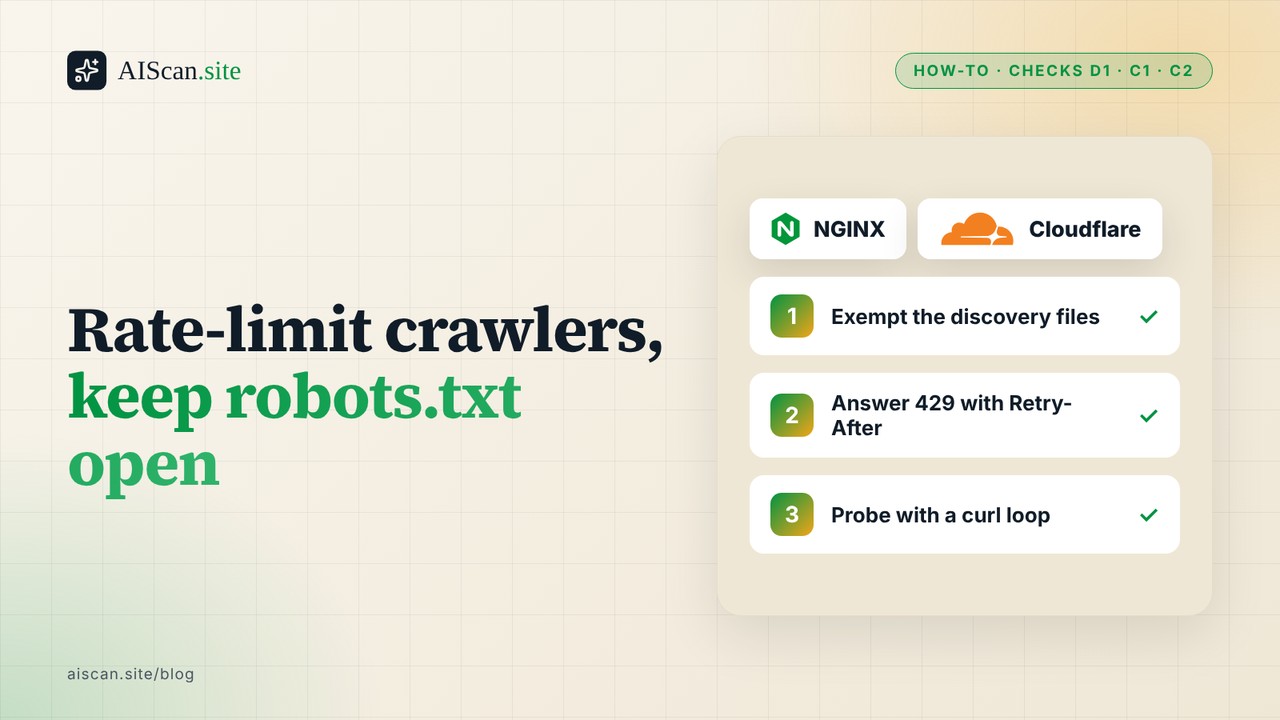
This guide shows how to cap crawler load on nginx and Cloudflare while keeping the discovery files open, and how to prove the result with a curl loop. I measured the behaviour on a small local server on 15 October 2026. The nginx and Cloudflare settings come from their documentation, and I say below which ones I did not run.
Quick summary
| Question | Short answer |
|---|---|
| Is returning 429 to a crawler wrong? | No. RFC 6585 defines 429 for "too many requests in a given amount of time" and says a Retry-After header MAY tell the client how long to wait. |
| What goes wrong in practice? | The limit also covers the files agents read first, and the 429 carries no Retry-After. |
| What does nginx do by default? | limit_req rejects with 503, not 429, unless you set limit_req_status. |
| Why does that matter for robots.txt? | RFC 9309 tells crawlers to assume complete disallow when robots.txt is unreachable with a 5xx. A 4xx means "unavailable" and the crawler MAY crawl anything. |
| Which AIScan checks does this touch? | D1 (robots.txt), C1 (Markdown negotiation on the homepage), C2 (llms.txt) |
| Time | About 15 minutes |
Why a 429 can still hurt you
A 429 is an honest answer. The trouble starts when it lands on the wrong request.
Google's documentation says its crawlers treat 429 as a server-overloaded signal, the same as a 5xx, and slow down. Other 4xx codes are treated as "the content doesn't exist". So for Google, 429 is the one 4xx that is meant to mean "come back slower". I only read Google's page. I did not find equivalent text from the AI crawler operators, so treat Retry-After handling by those bots as unknown.
Scanners and agents that make a handful of requests are a different case. They do not back off. They record whatever came back. In our own data, a rate limit that answered before the file did showed up in 61 of the 208 blocked-probe failures we counted across 712 sites, and 12 of 18 D1 flips in our determinism audit traced to a 429 on one scan and not the next. The details are in the blocked-probe study and the determinism self-audit.
Three configurations cause most of it:
- One bucket for every path. The same counter covers
/robots.txt,/llms.txt,/sitemap.xmland your heaviest pages. A crawler that fetches robots.txt and then ten pages can be refused the robots.txt on its next visit. - A 5xx as the limit response. nginx does this by default. A 503 on robots.txt is the "unreachable" case in RFC 9309, which tells a compliant crawler to assume complete disallow.
- No
Retry-After. The header is optional, but without it the client has to guess how long to wait.
Path A: nginx, with discovery files exempt
nginx's limit_req module documents that a request whose key is empty is not accounted. That gives you a clean way to exempt paths: build the key with a map, and return an empty string for the files you never want to limit.
# http context
map $uri $limit_key {
    default        $binary_remote_addr;
    /robots.txt    "";
    /llms.txt      "";
    /sitemap.xml   "";
}

limit_req_zone $limit_key zone=perip:10m rate=2r/s;
limit_req_status 429;

server {
    # ...
    error_page 429 = @slow_down;

    location / {
        limit_req zone=perip burst=10 nodelay;
        # your normal config
    }

    location @slow_down {
        add_header Retry-After 5 always;
        return 429 "Too many requests. Retry after 5 seconds.\n";
    }
}
What each part does:
mapsets the key. Exempt paths get"", so nginx does not count them against anyone.rate=2r/swithburst=10 nodelaylets a crawler fetch ten pages at once, then holds it to two a second. The documentation describesburstas the queue size andnodelayas serving burst requests without spacing them out. Pick numbers from your own access log, not from this example.limit_req_status 429replaces the 503 default.- The named location adds
Retry-Afteronly on the rejection, so your normal 200 responses stay clean.
I did not run this nginx block. There is no nginx in the sandbox I work in. The directives and their defaults come from the nginx documentation I read on 15 October 2026. Run nginx -t before you reload, then use the probe loop in the verification section to confirm the headers.
Path B: Cloudflare rate limiting rules
In Cloudflare, rate limiting lives under Security, in rate limiting rules. The relevant facts from the documentation, read on 15 October 2026:
- The Block action returns 429 by default. You can change the code, but only to a value between 400 and 499, so you cannot make Cloudflare answer a limit with a 503.
- A rule's expression decides which requests it counts. That is where you exempt the discovery files.
- The page warns that applying rate limiting to verified bots might affect SEO and points to its Improve SEO guide, which lists "rate limiting rules are allowing Verified Bots" as one of the checks.
A rule that leaves the discovery files alone looks like this in the expression editor:
not (http.request.uri.path in {"/robots.txt" "/llms.txt" "/sitemap.xml"})
Set the characteristic to IP, choose a request count and period that match your log, and keep Block as the action. The parameters page I read lists the response type, the response code and the response body for Block. It does not list a setting for a Retry-After header. If you need that header on Cloudflare, check the current dashboard or a Transform Rule before you rely on it, because I did not confirm it.
I did not create a rule on a live zone, so the expression above is the documented syntax and not a tested one. Cloudflare also says counters are per data centre and that a few seconds of delay can let extra requests reach your origin, so treat the number as a ceiling, not an exact gate.
Path C: limiting in the application
If you have no proxy in front, the same shape works in code: one counter, a short list of exempt paths, a 429 with Retry-After. This is the stdlib server I used to measure the effect. It runs in two modes, naive (one bucket for everything, no header) and tuned (discovery files exempt, header on every 429).
import sys, time
from http.server import BaseHTTPRequestHandler, ThreadingHTTPServer

MODE = sys.argv[1]            # "naive" or "tuned"
RATE, BURST = 2.0, 5          # tokens per second, bucket size
EXEMPT = {"/robots.txt", "/llms.txt", "/sitemap.xml"}
bucket = {"tokens": BURST, "t": time.monotonic()}

def allow():
    now = time.monotonic()
    bucket["tokens"] = min(BURST, bucket["tokens"] + (now - bucket["t"]) * RATE)
    bucket["t"] = now
    if bucket["tokens"] >= 1:
        bucket["tokens"] -= 1
        return True
    return False

class H(BaseHTTPRequestHandler):
    def do_GET(self):
        if MODE == "tuned" and self.path in EXEMPT:
            return self.reply(200, b"ok\n")
        if allow():
            return self.reply(200, b"ok\n")
        extra = {"Retry-After": "2"} if MODE == "tuned" else {}
        self.reply(429, b"Too Many Requests\n", extra)

    def reply(self, code, body, extra=None):
        self.send_response(code)
        self.send_header("Content-Length", str(len(body)))
        for k, v in (extra or {}).items():
            self.send_header(k, v)
        self.end_headers()
        self.wfile.write(body)

ThreadingHTTPServer(("127.0.0.1", int(sys.argv[2])), H).serve_forever()
The bucket here is global, which keeps the example short. In production, key it by client address, as the nginx example does.
Check it with AIScan first
Run the scan: npx aiscan-cli yoursite.com, or paste the address at aiscan.site. It is free and needs no account. Read three results:
- D1 fetches
/robots.txtand wants a 200. If the evidence readsHTTP 429orHTTP 503, a limit is answering before the file. - C2 does the same for
/llms.txt. - C1 re-requests your homepage with
Accept: text/markdown. A limit that fires on the second request in a burst can fail this check even though the first one would have passed.
AIScan sees one visitor making a few requests. It cannot see how your limit treats a crawler making hundreds, so a clean scan does not prove your thresholds are right. Scan more than once, because a single 429 can flip a result.
If you would rather check by hand
This loop sends twenty quick requests to a normal page, then asks for each discovery file and prints the status and any Retry-After. Point it at your own host, and only your own host.
base=https://yoursite.com
for i in $(seq 1 20); do curl -s -o /dev/null -w '%{http_code}\n' "$base/"; done | sort | uniq -c
for p in robots.txt llms.txt sitemap.xml; do
  printf '%s ' "$p"
  curl -s -D - -o /dev/null "$base/$p" | awk 'NR==1{printf "%s ",$2} tolower($1)=="retry-after:"{printf "retry-after=%s",$2} END{print ""}'
done
Here is what the two server modes returned for that shape of test on my machine, with the bucket set to five tokens and two a second:
| Mode | Page requests (20) | robots.txt | llms.txt | sitemap.xml |
|---|---|---|---|---|
| naive | 5 × 200, 15 × 429 | 429 | 429 | 429 |
| tuned | 5 × 200, 15 × 429 | 200 | 200 | 200 |
The page numbers match on purpose. The limit still does its job. The only change is that the files agents read first stay answerable. In tuned mode a 429 on a page also carried Retry-After: 2, which I confirmed with curl -D -.
What a good result looks like on your site: some 429s on the page loop, 200 on all three files, and a Retry-After on the 429s. If the files return 429 or 5xx, the exemption is not matching. Common causes are a rewrite that changes the URI before the map sees it, or a CDN rule that runs in front of nginx and has its own counter.
Choose the numbers from your logs
A limit that is too tight hurts more than one that is too loose. Before you set rate, count what real crawlers do. Group your access log by user agent and by minute, and look at the busiest minute of the busiest legitimate crawler. Set the limit above that, with a burst that covers a crawler fetching a page and its assets in one go. If you are not sure who is who, the AI crawler user-agent list separates the real names from the fake ones, and the traffic-waste study shows why conditional requests cut load more than a hard cap does.
If a bot you do not want keeps arriving, a limit is the wrong tool. Say so in robots.txt and enforce it at the firewall.
Next action
Run npx aiscan-cli yoursite.com and read D1, C1 and C2 first. If any shows HTTP 429 or a 5xx, fix the exemption before you tune the rate. The rest of the discoverability fixes are on the discoverability checks page, the Markdown side is on the content checks page, and every how-to is listed under /guides.
Frequently asked questions
Is returning HTTP 429 to an AI crawler wrong?
No. RFC 6585 defines 429 for too many requests in a given time and allows a Retry-After header. Google documents that its crawlers treat 429 as a signal to slow down. The problems come from where the limit applies and whether the response says when to retry.
Why does my robots.txt return 503 under load?
If you use nginx limit_req, rejected requests get 503 by default, and that includes robots.txt unless you exempt it. RFC 9309 says a crawler must assume complete disallow when robots.txt is unreachable with a 5xx. Exempt the file and set limit_req_status 429.
My AIScan report shows HTTP 429 on D1. What do I do?
A rate limit answered before robots.txt did. Exempt /robots.txt from the limit, or raise the limit for the scanner's requests, then scan again. Check your proxy or CDN counters too, because a second limit in front of the origin can cause the same result.
My C2 check fails with HTTP 429 on /llms.txt. Is the file missing?
No, the file may be fine. The limit rejected the request before the file was served. Add /llms.txt to the exempt list next to robots.txt and sitemap.xml, then re-run the scan and read the evidence string.
nginx returns 429 but there is no Retry-After header. Why?
limit_req does not add one. Send it from a named location reached through error_page 429, with add_header Retry-After 5 always, so it appears on the rejection and not on normal 200 responses.
Can Cloudflare rate limiting return a 503 instead of a 429?
Not through the Block action. Cloudflare's documentation says a custom response code must be between 400 and 499, and the default is 429.
Should I rate-limit verified bots on Cloudflare?
Cloudflare's rate limiting page warns it might affect SEO, and its Improve SEO guide lists rate limiting rules allowing verified bots as a check. Start by exempting verified bots, then tighten only if your logs show a real load problem.
Does a clean scan prove my limits are safe for crawlers?
No. A scan makes a few requests from one client, so it cannot show how your limit treats a crawler making hundreds. Use the curl loop for a burst test, and set the numbers from your access log.
Related guides
What a Failing AIScan Check Really Says: 2,961 Fail Lines Audited
A failing check on a scan report is supposed to be an instruction. The site owner reads the line, knows what the scanner asked for, knows what came back, and knows what to change. We audited whether…
Which Agent-Readiness Checks Travel Together: 739 Sites, Three Bundles
Fix one agentreadiness check and a second one often moves with it. Fix another and nothing else changes. A scan report lists every check as its own line, so the reader cannot see which lines are…
Platform League Table: WordPress, Next.js, Astro and Shopify Across 728 Sites
Every few weeks someone asks which platform produces the most agentready sites. WordPress, Next.js, Astro and Shopify all have fans, and a ranked table is the answer people expect. We have the data…
10 Best Instagram Profile Analyzers in 2026 (Tested)
Comparison of 10 Instagram profile analyzers with free plans, prices and AIScan AIreadiness scores, October 2026 Updated October 13, 2026. Prices, freetier limits and AIScan scores were all checked…