Table of contents
To serve Markdown to AI agents from a site on Cloudflare, turn on Markdown for Agents for the zone (Dashboard > AI Crawl Control) or for one path with a Configuration Rule. When a client sends Accept: text/markdown, Cloudflare fetches your HTML, converts it at the edge and returns Content-Type: text/markdown with Vary: Accept. A browser, which asks for HTML, still gets HTML. The feature needs a Pro, Business or Enterprise plan. This guide has the dashboard path, the per-path rule, the API call and a pass/fail test, plus what we measured on 28 October 2026 across 59 URLs, our own four sites included.
Written by M Asif Rahman. The adoption data is in our 701-site Markdown study; this post is the Cloudflare how-to.
Quick summary
| If you | Do this | Time | Proof it worked |
|---|---|---|---|
| Want it on for the whole zone | Dashboard > your zone > AI Crawl Control > enable Markdown for Agents | 2 min | curl -H "Accept: text/markdown" returns text/markdown |
Want it on for /blog/ or one subdomain only | Configuration Rule with the Markdown for Agents setting set to On | 10 min | Rule path returns Markdown, other paths return HTML |
| Manage zones as code | PATCH the content_converter zone setting | 5 min | Same curl test |
| Are not on Cloudflare, or want exact control | Publish .md files and branch on Accept at your origin | 30 min | Same curl test, plus Vary: Accept |
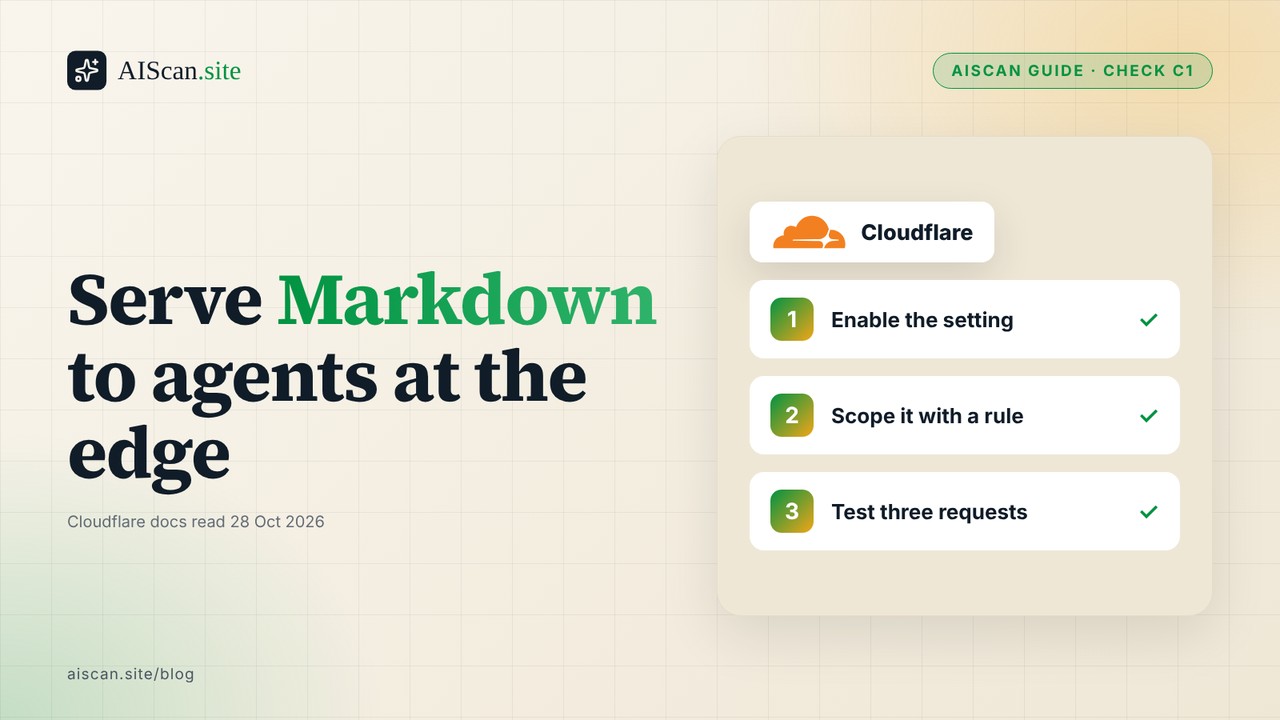
The short version: enable the setting, then test three things: the Markdown request returns Markdown, the browser request still returns HTML, and a missing page does not return a Markdown 200. Run npx aiscan-cli yoursite.com first. It grades this under check:C1 (Markdown content negotiation) and tells you whether you need to do anything. AIScan cannot tell you whether the Markdown came from Cloudflare's edge or from your origin, and it does not grade the Vary header, so the curl test below covers both.
What happens at the edge
Content negotiation is old HTTP. The client lists the formats it can use in the Accept header, the server picks one, and Vary: Accept tells caches that the same URL has more than one version. MDN's content negotiation guide and RFC 9110 section 12 describe it. Markdown for Agents applies it to HTML pages: Cloudflare asks your origin for the normal HTML, strips non-content elements (navigation, headers, footers, scripts, styles), converts the rest to Markdown and streams it back.
Think of a restaurant that keeps one kitchen and two menus. The kitchen (your origin) cooks the same dishes. The waiter (Cloudflare) hands a picture menu to people who walk in and a plain text menu to the delivery bots that ask for one. You do not maintain a second menu.
Cloudflare's Markdown for Agents documentation (last updated 9 October 2026 when we read it) describes the output. The converted response begins with YAML frontmatter built from your <meta> tags (title, description and image, with Open Graph tags as fallbacks), then the body, then any JSON-LD as a fenced json block at the end. Three consequences matter for a site owner:
- The converted response drops
ETagandLast-Modified. Cloudflare says conditional requests cannot be honoured on converted responses. If you set up validators from our ETag and Last-Modified guide, they still work for the HTML; they do not carry over to the Markdown. - A default Content Signal is added. If your origin sends no
content-signalheader, the converted response carriesContent-Signal: ai-train=yes, search=yes, ai-input=yes. If you want a different policy, set the header at your origin; Cloudflare keeps yours. - There is a size limit. Conversion stops at 6 MiB of decompressed HTML, and only HTML is converted.
What we measured
On 28 October 2026 we sent three requests to each of 59 URLs: Accept: text/markdown, a browser-style Accept header, and Accept: text/markdown;q=0, text/html. The URLs were our four sites, Cloudflare's own sites and a spread of developer-documentation and SaaS sites. 53 answered 200; the other six (a 400, three 403s, a 404 and a 429) are left out.
| Measure (n = 53 URLs answering 200) | Count |
|---|---|
Returned text/markdown to Accept: text/markdown | 21 (40%) |
Of those, sent Vary: Accept | 19 of 21 |
Behind Cloudflare (server: cloudflare) | 20 |
| Behind Cloudflare and returned Markdown | 7 of 20 |
| Not behind Cloudflare and returned Markdown | 14 of 33 |
Returned HTML to a browser Accept header | 53 of 53 |
Returned Markdown even when text/markdown;q=0 was sent | 9 of 21 |
Two things stand out. First, serving Markdown is not a Cloudflare-only habit: 14 sites that are not behind Cloudflare do it, so we cannot say how many of the seven Cloudflare-fronted hits use the Markdown for Agents setting rather than their own code. Second, the Accept header is easy to handle badly. Nine of the 21 URLs ignored an explicit q=0 (RFC 9110 says that means "not acceptable"), and two sent Markdown without Vary: Accept, which lets a shared cache hand the Markdown copy to a browser.
| Our sites (28 Oct 2026) | Accept: text/markdown result |
|---|---|
| aiscan.site | text/markdown with Vary: Accept (ignores q=0, noted for a fix) |
| storeseo.com (Cloudflare) | HTML |
| bettershield.ai (Cloudflare) | HTML |
| xspeedcache.com | HTML |
Two of our Cloudflare-fronted sites returned HTML. We read that as "not turned on", not as a fault, because the scan can still pass without negotiation: AIScan's check:C1 on storeseo.com passes through /index.md returning text/markdown. A fixed-path file counts. Negotiation is the more convenient route for agents that send the header; the file is the route that works without any CDN feature.
On Cloudflare's own docs site the picture is what the documentation promises: the Accept: text/markdown request got text/markdown; charset=utf-8 with Vary: accept-encoding, accept, no ETag and no Last-Modified on the Markdown response. Accept: */* and the browser header got HTML. text/markdown, text/html;q=0.5 got Markdown, text/html, text/markdown;q=0.9 got HTML, and q=0 on Markdown got HTML, so Cloudflare weighs the q-values. A made-up path returned a 404 in Markdown, not a 200.
Path 1: turn it on for the whole zone
- Log in to the Cloudflare dashboard and select your account. You need a Pro or Business plan; the docs also list Enterprise and SSL for SaaS.
- Select the zone (the domain) you want to change.
- Open AI Crawl Control.
- Enable Markdown for Agents.
- Run the test at the end of this guide against a normal page.
Menu names in Cloudflare's dashboard move between releases, and its own docs use both "Security" and "Crawlers" for neighbouring tabs. If you cannot find the toggle, use the API call in Path 3, which does not depend on the layout.
Path 2: turn it on for one subdomain or path
Use this when only the blog or docs should be served as Markdown, and checkout, account and app pages should not be.
- Select the zone, then go to Rules > Overview and choose Create rule > Configuration Rules.
- Under When incoming requests match, build an expression. For a subdomain:
http.host eq "docs.example.com". For a path:starts_with(http.request.uri.path, "/blog/"). - Under Then the settings are, choose Add setting > Markdown for Agents and set it to On.
- Select Deploy.
- Test one URL inside the rule and one outside it. The outside URL should return HTML to both requests.
Path 3: the API, for zones managed as code
Send a PATCH to the content_converter zone setting with a token that has Zone Settings edit permission:
curl -X PATCH "https://api.cloudflare.com/client/v4/zones/$ZONE_ID/settings/content_converter" \
  --header "Content-Type: application/json" \
  --header "Authorization: Bearer $API_TOKEN" \
  --data '{"value": "on"}'
For a per-path rule, PUT a ruleset to the http_config_settings phase with "action": "set_config" and "content_converter": true in action_parameters. Cloudflare's docs show the full body, and we did not run the dashboard or API steps against a zone of our own, so check them against the current page before you rely on them.
If you are not on Cloudflare, or want to own the output
The edge conversion works from the HTML your origin returns, and only HTML. If you can generate Markdown yourself (from the source you already render), publish a .md twin at a fixed path and branch on Accept at your origin. Return Content-Type: text/markdown; charset=utf-8 and Vary: Accept, and give any unknown path a real 404. Our Markdown twin study has the nginx and Apache snippets, and the curl walkthrough shows how an agent sees the result.
Verify: AIScan first, curl second
Run npx aiscan-cli yoursite.com or paste the URL at aiscan.site. Look at check:C1. A pass means a Markdown route was found, either through negotiation or a file such as /index.md. Then confirm the details AIScan does not cover:
U=https://example.com/blog/some-post/
# 1. Markdown request
curl -s -o /dev/null -D - -H "Accept: text/markdown" "$U" | grep -i -E '^(HTTP|content-type|vary|content-signal)'
# 2. Browser request must still be HTML
curl -s -o /dev/null -D - -H "Accept: text/html,application/xhtml+xml,*/*;q=0.8" "$U" | grep -i -E '^(HTTP|content-type)'
# 3. A missing page must not be a Markdown 200
curl -s -o /dev/null -w '%{http_code} %{content_type}\n' -H "Accept: text/markdown" "https://example.com/no-such-page-zz/"
| Result | Meaning | First fix |
|---|---|---|
Request 1 returns text/html | Not enabled for this host or path | Re-check the toggle or the rule expression |
Request 1 is Markdown but Vary lacks Accept | A cache can serve the wrong copy | Your own origin code, not the edge setting; add the header |
| Request 2 returns Markdown | Browsers would get Markdown | Check for a rule that forces conversion for every request |
Request 3 returns 200 text/markdown | Soft 404 | Fix the origin's 404 handling |
Frontmatter has no description | No <meta name="description"> in the HTML | Add the tag; the converter reads it |
Who can skip this
If your site already passes check:C1 through a Markdown file you maintain, turning on the edge setting adds a second source of truth and gives you two outputs to keep consistent. Sites that sell access to their content should read the policy section above first, since the default ai-train=yes signal appears only when your origin sets nothing. And if the free plan is what you run, publish the .md twin instead.
Next steps
Run npx aiscan-cli yoursite.com to see where check:C1 stands, enable the setting for the paths you want agents to read, and run the three-request test. The content checks page explains C1 and its neighbours, the AI Crawl Control setup guide covers the crawler side of the same dashboard, and the guides list the rest.
Frequently asked questions
Do I need to change my HTML for Markdown for Agents to work?
No. Cloudflare converts the HTML your origin already returns. It does read your meta tags, though: title and description (or the Open Graph fallbacks) become the YAML frontmatter, and any JSON-LD is kept as a fenced block at the end.
Which Cloudflare plans include Markdown for Agents?
Cloudflare's documentation lists Pro, Business and Enterprise plans, plus SSL for SaaS customers, at no extra cost. The dashboard steps say you need a Pro or Business plan. On a plan not in that list, publish a .md file at a fixed path instead.
I enabled it but curl still returns HTML. What is wrong?
Check that your request really sends Accept: text/markdown, that the host or path matches your Configuration Rule expression, and that you are not hitting an origin IP directly. Browser-style Accept headers and Accept: / are meant to return HTML.
The Markdown response has no ETag or Last-Modified. Is that a bug?
No. Cloudflare drops both on converted responses because conditional requests cannot be honoured for them. Your HTML responses keep their validators, so conditional requests still work on the HTML.
My blog is converted but my cart and account pages must stay HTML. How?
Do not enable it zone-wide. Create a Configuration Rule that matches only the paths you want, such as starts_with(http.request.uri.path, "/blog/"), and set Markdown for Agents to On. Test one URL inside the rule and one outside it.
Does the setting change what AI crawlers are allowed to train on?
It adds a default Content-Signal header of ai-train=yes, search=yes, ai-input=yes when your origin sends none. If you want a different policy, send your own content-signal header from the origin; Cloudflare keeps the origin's value.
A missing URL returns a 200 with Markdown. How do I fix that soft 404?
A real missing page should return a 404 status. On Cloudflare's own docs site a made-up path returned a 404 even for a Markdown request. If yours returns 200, the fault is in your origin's not-found handling, which you fix at the origin.
Will this raise my AIScan score?
Only if check:C1 is failing. C1 passes when AIScan finds a Markdown route, either through Accept negotiation or a file such as /index.md. If it already passes, enabling the edge setting changes nothing in the score.

About the author
M Asif Rahman
Entrepreneur, curious about AI
I have been building companies for a long time, and lately most of my curiosity goes to AI. AIScan is a small personal project I built on a flight from Dubai to Narita. I use it to understand how ready the web is for AI agents, and I share what the scans teach me.
Related guides
Rate-limit AI crawlers without blocking them
Most advice on rate limiting AI crawlers stops at "add a limit". The part that costs you is where the limit applies and what it answers. A limit that covers /robots.txt and /llms.txt makes your own…
Set Up Cloudflare AI Crawl Control: Allow, Block, Verify
If your site sits behind Cloudflare, you can allow or block each AI crawler from one table in the dashboard, and Cloudflare turns every block into a single WAF custom rule on your zone. The setting…
Markdown for AI Agents Beyond Docs: Only 19.3% of 701 Sites Serve It
On 8 October 2026 we queried the AIScan database for check C1, the Markdown availability check, across 701 distinct hosts. 135 of them 19.3% returned a real text/markdown response on one of the two…