Table of contents
- Quick summary
- Replit doesn't have a settings panel. It has an audit that runs after you publish.
- The gap: Lighthouse scores three of these signals, and skips the fourth
- Fix the title and meta description first — this part Replit already catches
- JSON-LD lives in the same file, but you have to check it yourself
- The h1 problem is Autoscale's rendering order, not a missing element
- Confirm all four signals on the domain that actually ships
- Where AIScan fits, and where it doesn't
- Ship the fix, then keep the rating honest
Quick summary
| Question | Answer |
|---|---|
| Where does Replit check this? | The SEO Rating card in the Growth pane, calculated after every publish |
| Does that rating cover all four C3 signals? | No. Title, meta description and heading structure are scored; JSON-LD is not |
| Why not? | The Lighthouse audit behind the rating lists "Structured data is valid" as a manual check, never scored automatically |
| Where do the fixes actually live? | client/index.html on an Agent-built app (Autoscale), editable by hand or through SEO Agent on a paid plan |
| Time to fix | About 10 minutes, plus a republish |
| AIScan check | C3, structured HTML, in the content dimension |
Start by scanning the app you actually deployed. npx aiscan-cli yourapp.replit.app, or paste the URL into AIScan, no account needed. Row C3 reports these four signals directly, and the same free pass covers every other content, discoverability, bot-access and capabilities check the platform grades.
Replit doesn't have a settings panel. It has an audit that runs after you publish.
Every other platform in this series keeps title, description and schema somewhere you can open before going live: a template file, a metadata export, a settings tab. Replit's equivalent, the SEO Rating, only exists once a deployment is public. According to Replit's own documentation on the feature, verified on 24 September 2026, publishing an Autoscale, Reserved VM or Static app produces a Lighthouse audit of your live URLs within a minute or two, shown as a badge in the Publishing tool: Healthy, Needs Work or Weak.
If the rating has room to grow, SEO Agent turns the findings into one-click fixes. It lives in the Growth pane and groups issues into four categories:
| SEO Agent category | What it covers |
|---|---|
| AI Readiness | Signals aimed at crawlers that aren't traditional search engines |
| Crawlability & Discovery | robots.txt, sitemap.xml, link structure |
| Landing Page Rendering & Metadata | Title tags, meta descriptions, heading order, alt text |
| Performance Proxies | Load-time signals that feed into the same score |
Two things gate the tool itself, both stated on the same page: the app must already be published, and the builder must be on a paid plan. A free-plan project shows an upgrade prompt where the fix buttons would sit. Replit's documentation, fetched from docs.replit.com the same day, lists structured data among what SEO Agent will fix: "Structured data: JSON-LD markup that helps search engines show rich results." Title tags, meta descriptions and heading order are on that same list. Read only that list and C3 looks fully covered by one "optimize my SEO" request to Agent.
The gap: Lighthouse scores three of these signals, and skips the fourth
| Lighthouse SEO audit | Automatically scored? |
|---|---|
Document has a <title> element | Yes |
| Document has a meta description | Yes |
| Heading elements appear in a sequentially descending order | Yes |
| Structured data is valid | No, manual check only |
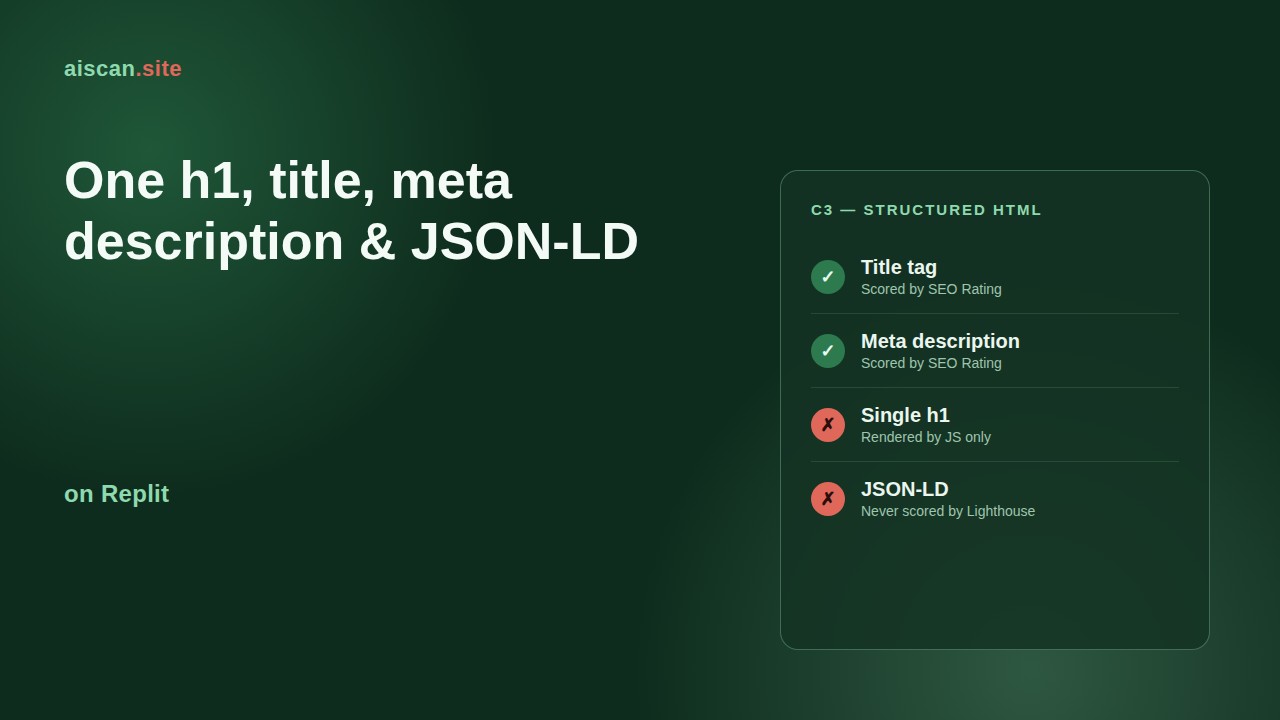
Google's own Lighthouse documentation for the last row, fetched from developer.chrome.com on 24 September 2026, places "Structured data is valid" under a section it calls Manual checks, the audits Lighthouse cannot score on its own and instead leaves for a human to confirm with Google's Rich Results Test. That means an app can carry a Healthy SEO Rating with zero JSON-LD anywhere on the page, because the one signal that would catch it was never part of the score to begin with. AIScan's C3 check reads the delivered HTML directly and reports a genuine pass or fail on structured data, which is the reading Replit's own badge cannot give you.
Fix the title and meta description first — this part Replit already catches
On an Agent-built app, the front end lives under client/, with Vite's root pointed at that folder and build.outDir set to dist/public, the same scaffold covered in the llms.txt guide for Replit. The <title> and <meta name="description"> tags sit in the <head> of client/index.html, and because Vite ships that file once at build time, both tags are present in the raw response even though the rest of the page is client-rendered.
Two ways to set them:
- Ask Agent. Open the Growth pane, find the SEO Rating card, click Run scan with Agent, then expand Landing Page Rendering & Metadata. Fix with Agent on the title or description row hands that one finding to Agent; Fix all with Agent sends every open issue at once. Review the change, click Apply changes to main version, then republish.
- Edit the file directly. Open client/index.html in the file tree and write the two tags by hand. A generic scaffold title such as "Vite + React + TS" is the most common finding here.
Most Agent-built apps serve one page to every route, so getting these two tags right in that single file covers the whole app. An app with genuinely separate routed pages needs per-route title and description handling, typically a library such as react-helmet-async in a client-rendered React app, which is a larger change than SEO Agent's one-click fix.
JSON-LD lives in the same file, but you have to check it yourself
Add structured data to the same <head>, either by asking Agent for it (it is on SEO Agent's own documented fix list) or by pasting a script tag directly:
<script type="application/ld+json">
{
  "@context": "https://schema.org",
  "@type": "WebApplication",
  "name": "Your App Name",
  "url": "https://yourapp.replit.app",
  "applicationCategory": "BusinessApplication"
}
</script>
Because the SEO Rating never scores this, a Healthy badge is not evidence it worked. Confirm it two ways instead: fetch the raw page and look for the script tag yourself, then run the URL through Google's Rich Results Test, the same manual step Lighthouse's own documentation points to in place of an automatic score.
The h1 problem is Autoscale's rendering order, not a missing element
This is the signal most likely to fail on an Agent-built app, and Replit's own rating is the least likely tool to catch it. The production server, per the scaffold's server/vite.ts, serves the same client/index.html shell for every path and lets your React code fill in the actual content, including any <h1>, after the browser runs the JavaScript bundle. Lighthouse executes that JavaScript in a real browser before it audits the page, so the SEO Rating sees the finished heading and can report success. A fetch that never runs JavaScript, curl, most AI agents, AIScan's own crawler, sees the static shell and nothing else: zero headings in it.
Static Deployments don't have this problem. According to Replit's deployment documentation, a Static Deployment serves pre-rendered files directly rather than running a server, so whatever heading is baked into the build is what every reader gets, JavaScript or not. On Autoscale and Reserved VM apps built by Agent, the fix is to put a real <h1> matching the text your app actually renders as its main heading directly inside client/index.html, so it exists before any script runs rather than only after. Preview any Agent-applied fix before accepting it: a heading added next to an existing large unstyled one can produce two h1s instead of one.
Confirm all four signals on the domain that actually ships
Fetch the deployed app the way an agent would, without a browser:
curl -s https://yourapp.replit.app/ | grep -oE '<h1[^>]*>[^<]*</h1>'
curl -s https://yourapp.replit.app/ | grep -oE '<title>[^<]*</title>'
curl -s https://yourapp.replit.app/ | grep -c 'application/ld+json'
Expect exactly one <h1> carrying real page text, one non-generic <title>, and at least one application/ld+json match. Zero on any of those three is the finding to fix, regardless of what the Growth pane currently shows.
Where AIScan fits, and where it doesn't
AIScan's C3 check reads the same unrendered HTML described above and reports the same four signals as a pass or fail, with no plan gate and no publish requirement standing between you and the answer. What it does not do is rewrite your files, tell you whether your JSON-LD type is the best choice for your app, or replace judgment about whether a heading is genuinely descriptive. That part stays with you or with Agent; AIScan's job is telling you, honestly, whether the fix landed.
Ship the fix, then keep the rating honest
Republish after any change here. Replit's rating and AIScan's scan both read the live domain, never the workspace preview. Then run the scan again, npx aiscan-cli yourapp.replit.app against the published URL, reading row C3. From there, the full Replit setup guide covers the rest of the content, discoverability and bot-access checks the same scan reports, and the check reference explains what each one asserts. Browse /guides for the rest of this series.
Frequently asked questions
My SEO Rating says Healthy, but AIScan still fails C3. Why?
Because the rating and the check measure different things. Replit's SEO Rating is a Lighthouse audit that scores your title tag, meta description and heading order, but Lighthouse's own documentation lists structured data as a manual check it never scores. A Healthy badge can coexist with zero JSON-LD on the page, which is exactly what AIScan's C3 check reports.
Does SEO Agent work on the free plan?
No. Replit's documentation states SEO Agent is available to builders on a paid plan; a free-plan project sees an upgrade prompt where the Run scan and Fix with Agent buttons would otherwise appear. The SEO Rating badge itself still shows on the free plan once you publish.
curl shows no h1 on my page, but it looks correct in the browser. What's going on?
Your app is almost certainly an Agent-built Autoscale deployment, which serves one static index.html shell for every path and lets React render the actual heading into the page after the browser runs the JavaScript bundle. A browser executes that script and shows the finished heading. A tool that fetches the page without running JavaScript, including curl and most AI agents, sees the empty shell instead.
Where do I edit the title and meta description by hand?
In client/index.html, inside the <head>. Vite's root is set to the client folder and ships that file once at build time, so the <title> and <meta name="description"> tags it contains are present in the raw HTML response regardless of how the rest of the page renders.
I applied a fix in SEO Agent, but the live page hasn't changed. What did I miss?
A republish. Applying changes to the main version updates your project's code, not the live deployment. Both Replit's SEO Rating and AIScan read the published domain, so nothing changes for either tool until you republish.
Does a Static Deployment have the same h1 problem as Autoscale?
No. A Static Deployment serves pre-rendered files directly instead of running a server, so whatever heading is in the built HTML is what every reader gets, with or without JavaScript. The rendering-order gap only affects Autoscale and Reserved VM apps that serve a client-rendered React shell.
Which JSON-LD type should a Replit app use?
WebApplication or SoftwareApplication covers most tools and dashboards built on Replit; use Organization for a company site or Article for blog-style content. The type only needs to describe what the page actually is, since neither Replit's rating nor AIScan's check grades which type you picked, only whether valid JSON-LD is present.
I added the JSON-LD script tag, but my SEO Rating didn't move. Is it broken?
No, that's expected. Structured data is a manual check in the Lighthouse audit behind the SEO Rating, so adding or removing it never changes the score. Confirm it worked with a raw fetch for the script tag and Google's Rich Results Test, not by watching the badge.
Related guides
How to ship one h1, title, meta description and JSON-LD on Lovable
| C3 signal | Where it lives on Lovable | How you fix it | |||| | Title + meta description | Generated per page while Lovable builds your app | Ask in the project chat, there is no settings field | |…
How to ship one h1, title, meta description and JSON-LD on Ghost
| Signal | Who owns it on Ghost | Where you set it | |||| | <h1 | The theme, from your post's literal title | Nothing to set. It's the title field itself | | <title tag | The {{metatitle}} helper |…
How to ship one h1, title, meta description and JSON-LD on Webflow
Webflow's SEO panel now writes three of the four signals that AIScan's C3 check grades, and the fourth one is not in any panel. On a paid Site plan you can set a page's title tag, its meta…
How to ship one h1, title, meta description and JSON-LD on Next.js
Next.js hands you a Metadata API that writes your <title and your meta description into the head automatically. It does not write your JSONLD, and it does not write your <h1. Those two are ordinary…