Table of contents
Most sites should not return a 402. If you sell nothing per request, skip this guide and keep your score. If you do charge for an API response, a report or a dataset, this is how to return an x402 payment requirement that an agent can read, in about 30 lines of code and one verification command. It is current as of 14 October 2026, against x402 protocol version 2.
Quick summary
| Question | Answer | Source |
|---|---|---|
| What does AIScan check? | check:M3, the x402 Payment Required signal. It is optional, so a miss never lowers your score | AIScan commerce docs |
| What must the response be? | HTTP 402 with a PAYMENT-REQUIRED header holding base64-encoded JSON | x402 HTTP transport spec |
| Which fields are required? | x402Version, resource, and accepts[] with scheme, network, amount, asset, payTo, maxTimeoutSeconds | x402 core spec |
| Who settles the payment? | A facilitator service verifies and settles; your server only describes the price and checks the retry | Same spec, section 7 |
| Who should skip it? | Anyone with free content or a normal checkout. Most sites | Path 1 caveats below |
Fastest check: run npx aiscan-cli yoursite.com and read the M3 row. Then use the script in Path 1 to test the one URL you gate.
What the 402 is for
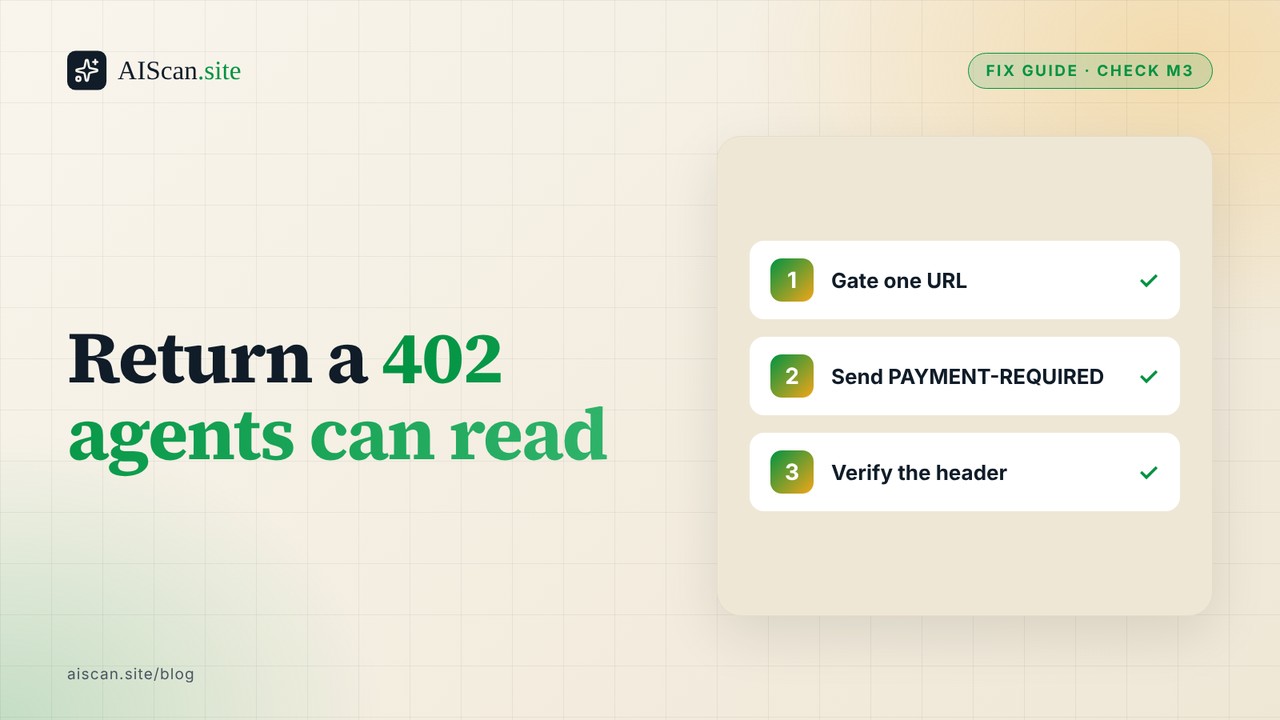
HTTP has had a 402 Payment Required status code for decades with no agreed meaning. x402 gives it one. The x402 specification describes a four-step loop: a client asks for a resource, the server answers 402 with its payment requirements, the client retries with a signed payment authorization, and the server verifies and settles it.
Think of a toll booth that posts its price on a sign. The agent drives up, reads the sign, pays, and drives through. The sign has to be readable by a machine, which is why it is a fixed JSON shape and not a paragraph on a pricing page.
AIScan's M3 row looks for that sign. On a site with nothing gated it reports "no paywalled resource declared (optional)" and stays informational. Its check guidance calls the check relevant only if you monetize specific resources for agents.
Path 1: write the 402 yourself
You need three things before any code: a wallet address that receives payment, a network and token you accept, and a price in the token's smallest unit. The spec's own example uses Base Sepolia (network eip155:84532, a test network) and USDC, which has six decimals, so an amount of 10000 is 0.01 USDC. Start on a test network.
- Pick one URL to gate, such as
/premium/report.json. Never gate/,/robots.txtor/llms.txt. - Build the requirements object with the fields below.
- Base64-encode its JSON and send it in the
PAYMENT-REQUIREDheader with status 402. - When a request arrives with a
PAYMENT-SIGNATUREheader, hand it to a facilitator to verify and settle before you return 200. - Send
Cache-Control: no-storeon the 402 so a CDN does not serve one buyer's requirements to everyone.
This stdlib Python server does steps 1 to 3 and 5. The PAYMENT-SIGNATURE branch only checks that the header exists, which is a placeholder, not payment verification.
import base64, json
from http.server import BaseHTTPRequestHandler, HTTPServer

REQ = {"x402Version": 2,
  "error": "PAYMENT-SIGNATURE header is required",
  "resource": {"url": "http://127.0.0.1:8402/premium/report.json",
               "description": "Monthly crawl report", "mimeType": "application/json"},
  "accepts": [{"scheme": "exact", "network": "eip155:84532", "amount": "10000",
    "asset": "0x036CbD53842c5426634e7929541eC2318f3dCF7e",
    "payTo": "0x209693Bc6afc0C5328bA36FaF03C514EF312287C",
    "maxTimeoutSeconds": 60, "extra": {"name": "USDC", "version": "2"}}]}

class H(BaseHTTPRequestHandler):
    def do_GET(self):
        if self.path != "/premium/report.json":
            self.send_response(404); self.end_headers(); return
        if self.headers.get("PAYMENT-SIGNATURE"):   # placeholder: verify via a facilitator
            self.send_response(200); self.send_header("Content-Type", "application/json")
            self.end_headers(); self.wfile.write(b'{"report": "paid content"}'); return
        blob = base64.b64encode(json.dumps(REQ).encode()).decode()
        self.send_response(402)
        self.send_header("Content-Type", "application/json")
        self.send_header("PAYMENT-REQUIRED", blob)
        self.send_header("Cache-Control", "no-store")
        self.end_headers(); self.wfile.write(b"{}")

HTTPServer(("127.0.0.1", 8402), H).serve_forever()
The payTo and asset values above are the spec's example values for Base Sepolia. Replace payTo with your own address. For a real network, take the token contract address from the token issuer, not from this page.
Path 2: let a framework do it
You do not have to hand-roll the header. The x402.org site and the project's documentation are the place to look for server integrations and facilitator services, which handle the signature check and settlement that Path 1 skips. We did not install or evaluate any of them for this guide, so read the current docs before you pick one.
A decision rule: if you charge for one endpoint and can host a facilitator call, use middleware. If you only want to confirm that an agent can read your price, Path 1 plus the script below is enough.
Verify the response
Run the scan first. npx aiscan-cli yoursite.com covers check:M3 and the neighbouring commerce checks, check:M1 and check:M4. The scan reports on the pages it probes, so a single gated API URL deep in your site may not show up in it. That is the reason for the second step.
If you would rather check by hand, or you want to test the one gated URL, curl -i https://yoursite.com/premium/report.json should show HTTP/1.1 402 and a long PAYMENT-REQUIRED header. The script below goes further and decodes it.
import base64, json, sys, urllib.request, urllib.error
url = sys.argv[1]
try:
    urllib.request.urlopen(urllib.request.Request(url, headers={"User-Agent": "x402-check/1.0"}), timeout=15)
    print("FAIL: got 2xx without payment (resource is not gated)"); sys.exit(1)
except urllib.error.HTTPError as e:
    status, headers = e.code, e.headers
problems = []
if status != 402: problems.append(f"status is {status}, expected 402")
raw = headers.get("PAYMENT-REQUIRED")
body = {}
if not raw: problems.append("no PAYMENT-REQUIRED header")
else:
    try: body = json.loads(base64.b64decode(raw))
    except Exception as exc: problems.append(f"header is not base64 JSON: {exc}")
if body:
    if body.get("x402Version") != 2: problems.append("x402Version is not 2")
    if not body.get("resource", {}).get("url"): problems.append("resource.url missing")
    if not body.get("accepts"): problems.append("accepts[] empty")
    for a in body.get("accepts", []):
        for k in ("scheme", "network", "amount", "asset", "payTo", "maxTimeoutSeconds"):
            if k not in a: problems.append(f"accepts[].{k} missing")
        if not str(a.get("amount", "")).isdigit(): problems.append("amount must be a digit string")
print("\n".join("FAIL: " + p for p in problems) or "PASS")
sys.exit(1 if problems else 0)
We ran it on 14 October 2026 against the server above (PASS, exit 0), against a catch-all path that answers 200 (FAIL, exit 1), and against aiscan.site, which gates nothing (FAIL: 2xx without payment, as expected). Pass means the response is shaped as the spec describes. It does not mean a client can pay, because the script never signs anything.
How this differs from Cloudflare pay-per-crawl
Cloudflare's pay-per-crawl also answers with a 402, but it is a Cloudflare product with its own request headers and error codes, billed through Cloudflare. Our pay-per-crawl guide covers the decision to charge, so this guide does not repeat it. The practical difference: with pay-per-crawl you configure a price in a dashboard and Cloudflare answers for you; with x402 you run the 402 yourself. Our research notes from September 2026 found the pay-per-crawl 402 body carries an x402Version of 0 and a deferred scheme on the cloudflare network, so the two are not interchangeable. Re-measure before you rely on that, since Cloudflare changes the product often.
Should you skip it?
Probably, if any of these is true:
- You publish free content and want it cited. A 402 on it blocks the agents you want.
- Your checkout is a normal cart. UCP and the other catalogue protocols fit that better.
- You cannot hold or receive crypto-denominated payments, since the spec's
exactscheme settles on-chain tokens. - You have a handful of plans. Publish machine-readable pricing (
check:M4) instead, which does affect your score.
AIScan's own research notes recorded M3 passing on 0 of 180 commerce sites for three consecutive weeks in September 2026. Treat that as a snapshot of adoption, not a verdict on the protocol.
When something goes wrong
- The agent sees 200 and no price: a catch-all route answered before your handler. Register the gated route first.
- The header is there but the client cannot parse it: you sent raw JSON instead of base64. Encode it.
- The price looks 100 times too high or low:
amountis in atomic units. For six-decimal USDC, 0.01 is10000. - A CDN serves the same 402 to everyone: add
Cache-Control: no-storeto the 402. - Payments fail after a retry: your server is not calling a facilitator. Path 1 is a demo of the response, not a payment verifier.
- The scan still says optional: that is the normal state for a site with nothing gated.
Next step
Scan your site with npx aiscan-cli yoursite.com and look at M3, M4 and M1. Most readers will leave M3 informational and fix M4. Then browse the guide library and the commerce checks page. The task works without us: a text editor, Python and curl are enough.
Frequently asked questions
Do I need an x402 response to pass AIScan?
No. M3 is optional, so a site with nothing gated shows it as informational and its score is not lowered. Add it only if you charge for specific resources.
Which HTTP header carries the x402 payment requirements?
PAYMENT-REQUIRED, holding base64-encoded JSON. The client answers with PAYMENT-SIGNATURE, and the server reports settlement in PAYMENT-RESPONSE, per the x402 HTTP transport spec.
Why does my scan still say no paywalled resource declared?
That is the normal state for a site that gates nothing. If you gated one deep URL, the scan may not probe it, so test that URL directly with curl or the script in this guide.
My 402 returns but the client cannot read the price. What is wrong?
Most often the JSON was sent raw instead of base64-encoded, or amount is not a string of atomic units. Decode your own header and compare it with the field table in the x402 spec.
The price is 100 times too high or too low. Why?
amount is in the token's smallest unit. USDC has six decimals, so 10000 is 0.01 USDC. Divide by ten to the power of the token's decimals.
Does returning a 402 take payment?
No. The 402 only describes the price. A facilitator verifies the signed authorization and settles it. The demo server in this guide does not verify payments.
Can a CDN break an x402 response?
Yes. If a CDN caches the 402, other clients receive someone else's requirements. Send Cache-Control: no-store on the 402 and test through the CDN.
How is this different from Cloudflare pay-per-crawl?
Pay-per-crawl is a Cloudflare product configured in its dashboard, with its own headers and error codes. x402 is an open protocol you implement on your own server. Both use status 402.
Related guides
UCP profiles: Shopify serves one, most other stores don't
Shopify stores answer on /.wellknown/ucp. Almost nobody else does. We checked 238 commerceactive sites in the AIScan corpus on 10 October 2026: 12 of 17 Shopify catalogue stores pass check M1 the…
The Agentic Commerce Stack in 2026: UCP, ACP, AP2 and x402, Measured on 30 Storefronts
Five protocol names now compete for the same sentence in every agentic commerce explainer: UCP, ACP, AP2, x402 and MPP. Almost every explainer treats them as rivals. They are not. Four of the five…
Cloudflare Pay Per Crawl in 2026: Should You Charge AI Crawlers? 119 Sites Measured
Stack Overflow will sell you its homepage for fifty cents. Point an AI crawler at it and the server answers HTTP 402 Payment Required, crawlerprice: USD 0.5, and a JSON body naming Cloudflare's Pay…