Table of contents
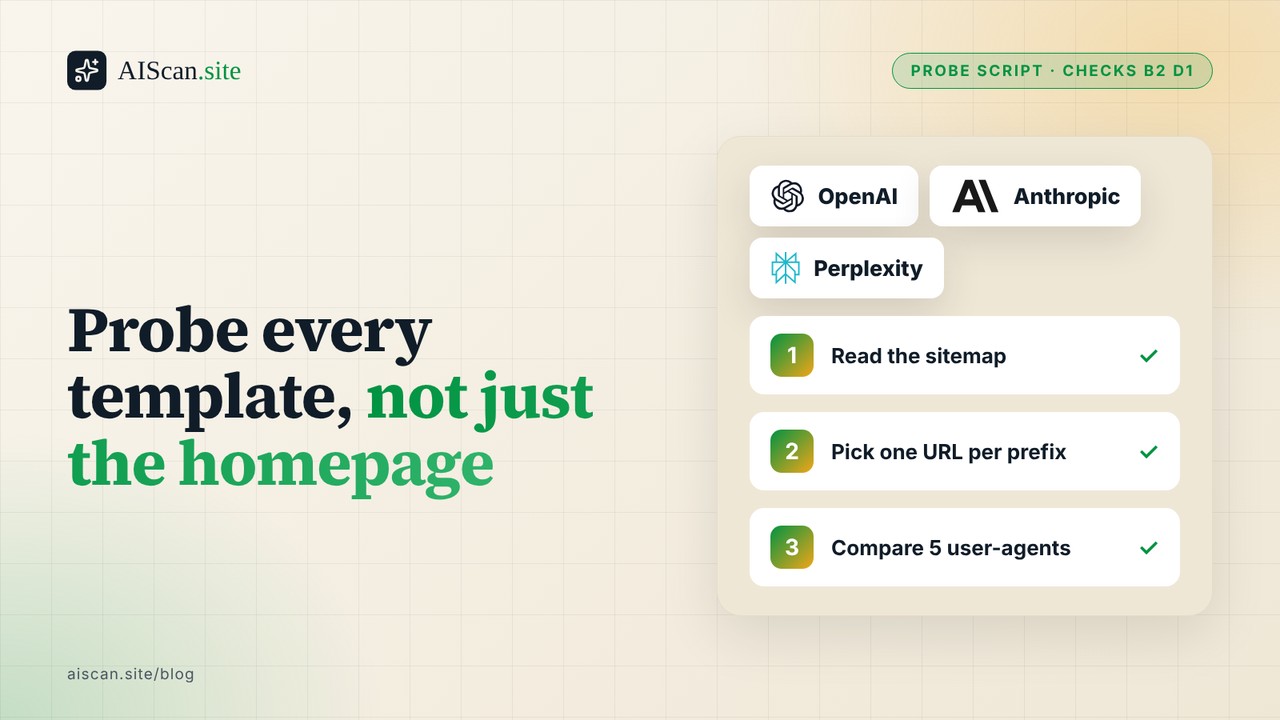
A homepage that answers GPTBot with a 200 tells you nothing about the page templates behind it. A firewall rule, a CDN path rule or a plugin can block /products/, /docs/ or the feed while / stays open. The fix is a short probe that requests one URL per path prefix with the browser and four AI crawler user-agents and prints a status table. I ran the one below on our own four sites on 8 November 2026: 24 URLs, 5 user-agents, 120 requests, every one returned 200. The probe also showed that guessing /sitemap.xml fails on two of the four.
Quick summary
| If you want to... | Do this | Expected result | Time |
|---|---|---|---|
| Check one URL for all crawlers | AIScan scan (npx aiscan-cli yoursite.com), checks B2 and D1 | Pass or fail on the AI bot rules and robots.txt | 1 minute |
| Check every page template | Run the Python probe below | A status per URL per user-agent | 5 minutes |
| Check without Python | The curl loop below | Same table, shell only | 5 minutes |
| Know what real crawlers get | Read your server logs | Ground truth | See the logs guide |
Why the homepage is the wrong test
Access rules attach to paths, not to sites. RFC 9309 defines robots.txt as per-path rules matched by user-agent, and a CDN or security plugin adds its own path rules on top. A site can pass a single-URL test and still return 403 on its product pages, its docs or its blog. Our guides on fetching a site as an AI agent with curl and ChatGPT not reaching your site cover one URL at a time. This guide widens that to one URL per template.
Think of it as testing every door in a building instead of the front one. The sitemap is the floor plan, so the script reads it and picks the first URL under each path prefix: the home page, then up to three prefixes such as /blog/, /docs/ or /products/, plus robots.txt and the sitemap itself.
Check with AIScan first
Run npx aiscan-cli yoursite.com, or paste the URL at aiscan.site. It is free and needs no account. Check B2 reads whether your robots.txt gives AI bots explicit rules, and check D1 tests that robots.txt is present and served correctly. AIScan grades the URL you give it, so run it on one page per template too. It cannot see a rule that only fires for a specific IP range. If you would rather check by hand, the rest of this guide is complete without it.
Path A: the Python probe
This script needs only Python 3 and no packages. It reads the Sitemap: line from robots.txt, opens the sitemap (or the first child of a sitemap index), picks one URL per path prefix, and requests each with five user-agents. It does not follow redirects, so a 301 shows up as a 301.
#!/usr/bin/env python3
"""Usage: python3 ai_probe.py example.com  (one pass: 6 URLs x 5 user agents)"""
import re, sys, time, urllib.request, urllib.error
from urllib.parse import urlparse

UAS = {
    "browser": "Mozilla/5.0 (X11; Linux x86_64) AppleWebKit/537.36 (KHTML, like Gecko) Chrome/126.0 Safari/537.36",
    "GPTBot": "Mozilla/5.0 AppleWebKit/537.36 (KHTML, like Gecko); compatible; GPTBot/1.1; +https://openai.com/gptbot",
    "ClaudeBot": "Mozilla/5.0 AppleWebKit/537.36 (KHTML, like Gecko; compatible; ClaudeBot/1.0; +claudebot@anthropic.com)",
    "OAI-SearchBot": "Mozilla/5.0 AppleWebKit/537.36 (KHTML, like Gecko); compatible; OAI-SearchBot/1.0; +https://openai.com/searchbot",
    "PerplexityBot": "Mozilla/5.0 AppleWebKit/537.36 (KHTML, like Gecko; compatible; PerplexityBot/1.0; +https://perplexity.ai/perplexitybot)",
}

class NoRedirect(urllib.request.HTTPRedirectHandler):
    def redirect_request(self, *args, **kwargs):
        return None  # report the 301 itself, do not follow it

opener = urllib.request.build_opener(NoRedirect)

def fetch(url, ua):
    req = urllib.request.Request(url, headers={"User-Agent": ua})
    try:
        with opener.open(req, timeout=20) as r:
            return r.status, r.read().decode("utf8", "ignore")
    except urllib.error.HTTPError as e:
        return e.code, ""
    except Exception:
        return "ERR", ""

def sample_urls(host):
    _, robots = fetch(f"https://{host}/robots.txt", UAS["browser"])
    m = re.search(r"(?im)^sitemap:\s*(\S+)", robots)
    sitemap = m.group(1) if m else f"https://{host}/sitemap.xml"
    _, xml = fetch(sitemap, UAS["browser"])
    locs = re.findall(r"<loc>([^<]+)</loc>", xml)
    if locs and locs[0].endswith(".xml"):              # a sitemap index: open the first child
        _, xml = fetch(locs[0], UAS["browser"])
        locs = re.findall(r"<loc>([^<]+)</loc>", xml)
    first_per_prefix = {}
    for u in locs:
        prefix = urlparse(u).path.strip("/").split("/")[0]
        if prefix:
            first_per_prefix.setdefault(prefix, u)
    return ([f"https://{host}/"] + list(first_per_prefix.values())[:3]
            + [f"https://{host}/robots.txt", sitemap])

for host in sys.argv[1:]:
    for url in sample_urls(host):
        row = {}
        for name, ua in UAS.items():
            row[name] = fetch(url, ua)[0]
            time.sleep(0.3)
        flag = "" if len(set(row.values())) == 1 else "  <-- DIFFERS"
        print(f"{url:70} {row}{flag}")
- Save the code as
ai_probe.py. - Run
python3 ai_probe.py yoursite.com. - Read the table. Any row where the five codes differ is marked
<-- DIFFERS. - Run it on your own host only. The script pauses 0.3 seconds between requests and makes 30 requests per host.
Path B: no Python, just curl
- Open
https://yoursite.com/robots.txtand copy theSitemap:URL. - Pick one URL per section from that sitemap and put them in
urls.txt, one per line. - Run this loop:
UA_GPT="Mozilla/5.0 AppleWebKit/537.36 (KHTML, like Gecko); compatible; GPTBot/1.1; +https://openai.com/gptbot"
UA_BROWSER="Mozilla/5.0 (X11; Linux x86_64) Chrome/126.0 Safari/537.36"
while read u; do
  echo "$u browser=$(curl -s -o /dev/null -w '%{http_code}' -A "$UA_BROWSER" "$u") gptbot=$(curl -s -o /dev/null -w '%{http_code}' -A "$UA_GPT" "$u")"
done < urls.txt
- Add the other user-agents the same way. OpenAI documents GPTBot and OAI-SearchBot as separate crawlers with separate robots.txt tags, so test both.
What we found on our own sites
Test run on 8 November 2026 against aiscan.site, xspeedcache.com, storeseo.com and bettershield.ai. Six URLs per host (home, three section pages, robots.txt, sitemap), five user-agents each.
| Host | URLs tested | Requests | Non-200 answers | Rows that differed by user-agent |
|---|---|---|---|---|
| aiscan.site | 6 | 30 | 0 | 0 |
| xspeedcache.com | 6 | 30 | 0 | 0 |
| storeseo.com | 6 | 30 | 0 | 0 |
| bettershield.ai | 6 | 30 | 0 | 0 |
| Total | 24 | 120 | 0 | 0 |
A clean table is the expected result for a site that wants crawlers. The useful finding was in the first draft of the script, which guessed https://host/sitemap.xml. On storeseo.com that returned 404, and on bettershield.ai it returned a 301 to /sitemap-index.xml. Both sites declare the real file in robots.txt, so the final script reads the Sitemap: line instead of guessing. A tool that guesses the path reports a missing sitemap on a site that has one.
What a user-agent probe cannot prove
The script sends a crawler's name, not the crawler. A firewall that verifies bots by their published IP ranges can answer a forged user-agent from your laptop differently from the real GPTBot. The reverse also happens: a rule that blocks datacenter traffic can pass your laptop and block a real crawler. A clean table rules out path and user-agent rules. It does not rule out IP rules. For that, find the crawlers in your server logs and look at the status codes real requests received.
Fixing what the table shows
| What you see | Likely cause | First step |
|---|---|---|
| 403 for AI user-agents on every path | Bot rule at the CDN or firewall | Check AI Crawl Control on Cloudflare or your host's bot settings |
200 on /, 403 on one prefix | A path rule or security plugin scoped to that section | Search the firewall rules for that path |
| 200 for the browser, 403 for one named bot | A user-agent rule | Compare against your robots.txt, see the robots.txt starter |
| 301 on the sitemap | Sitemap moved | Update the Sitemap: line, not the redirect |
| Everything 200 but bots still absent | IP-level rule or no demand | Read the server logs |
On WordPress, ThinkRank manages robots.txt, robots meta, schema and sitemaps from one plugin, so the rules a probe checks live in one place instead of three plugins fighting over the same file. It migrates from Rank Math, Yoast, AIOSEO and SEOPress. Yoast and Rank Math both write robots.txt rules too, and either works if it is the only plugin doing so.
How to verify the fix
- Re-run the probe. Success is every row showing one code, with no
DIFFERSflag. - Run
npx aiscan-cli yoursite.comand confirm B2 and D1 pass. - After a week, check server logs for real crawler requests returning 200 on the template that failed.
Maintenance
Re-run the probe after any change to your CDN, firewall, security plugin or theme, and after a migration. Add one URL when you add a new template.
Next step
Scan your site at aiscan.site and read the results for B2 and D1, then run the probe on every template. More fixes are in the guides.
Frequently asked questions
How do I test AI crawler access on every page template?
Pick one URL per path prefix from your sitemap and request each with a browser user-agent and with GPTBot, ClaudeBot, OAI-SearchBot and PerplexityBot. The Python script in this guide does that and flags any row where the status codes differ.
My homepage returns 200 for GPTBot but my product pages return 403. What is wrong?
A path-scoped rule is blocking that section. Look in your CDN or firewall rules and your security plugin for a rule on that path prefix, and compare it with what robots.txt says for the same path.
The probe says my sitemap is 404, but I have one. Why?
The probe guessed /sitemap.xml. Many sites serve it at /sitemap-index.xml or another path and declare it in robots.txt. Read the Sitemap: line and request that URL instead.
Why does my sitemap return a 301?
The file moved. The probe does not follow redirects so you see it. Update the Sitemap: line in robots.txt to point at the final URL so crawlers do not depend on the redirect.
The table is all 200 but ChatGPT still cannot read my site. What now?
A user-agent probe cannot see IP-based rules. A firewall that verifies bots by IP range can block the real crawler while passing your test. Check your server logs for the real requests and their status codes.
Does a 200 for a bot user-agent mean the bot will crawl my site?
No. It means the request was not blocked by a path or user-agent rule. Whether robots.txt allows the bot is a separate question, covered by check B2, and whether the crawler visits at all depends on the crawler.
How often should I run this probe?
After any change to your CDN, firewall, security plugin or theme, after a migration, and when you add a new page template. It makes about 30 requests per host, so running it is cheap.
Is it okay to run this against other people's sites?
Run it on sites you own or manage. The script is small, but spoofed crawler user-agents against someone else's server can trip their firewall and are not your call to make.

About the author
M Asif Rahman
Entrepreneur, curious about AI
I have been building companies for a long time, and lately most of my curiosity goes to AI. AIScan is a small personal project I built on a flight from Dubai to Narita. I use it to understand how ready the web is for AI agents, and I share what the scans teach me.
Related guides
Control which AI crawlers reach your site: a robots.txt starter
Most sites that "block AI" with a robots.txt file end up with one of two outcomes: a file that blocks nothing because a bot name is misspelled, or a file that blocks the crawlers that would have sent…
Why AI Rules Vanish From robots.txt: 25 of 144 Passing Sites Lost Them
Of 144 hosts that passed the AIcrawler robots.txt check B2 on their first scan, 25 failed it on their latest scan. All 25 had exactly 8 known AI agents named in robots.txt the first time and 0 the…
Fix: A WordPress Security Plugin Is Blocking GPTBot, ClaudeBot and PerplexityBot
If your robots.txt allows GPTBot, ClaudeBot and PerplexityBot but your logs show a wall of 403 for those same names, robots.txt is not the problem. A rule that runs before WordPress is. This guide…