Table of contents
- Quick summary
- What M4 asserts, read from the evidence strings
- The price-legibility rate, and why the period matters
- Where the gap sits: platform and rendering
- Live probe: what well-known vendors send in the first response
- The same buckets, inside the vendor sample
- Reproduce the rate on your own site
- The ten-minute fix for a partial
- What to do if you land in each bucket
- What this study cannot tell you
- Your next step
An agent asked to compare three tools by price has two ways to answer. It can read a structured field, or it can read your marketing prose and guess. The how-to on pricing markup covers how to write the field. This post measures how many sites have written it.
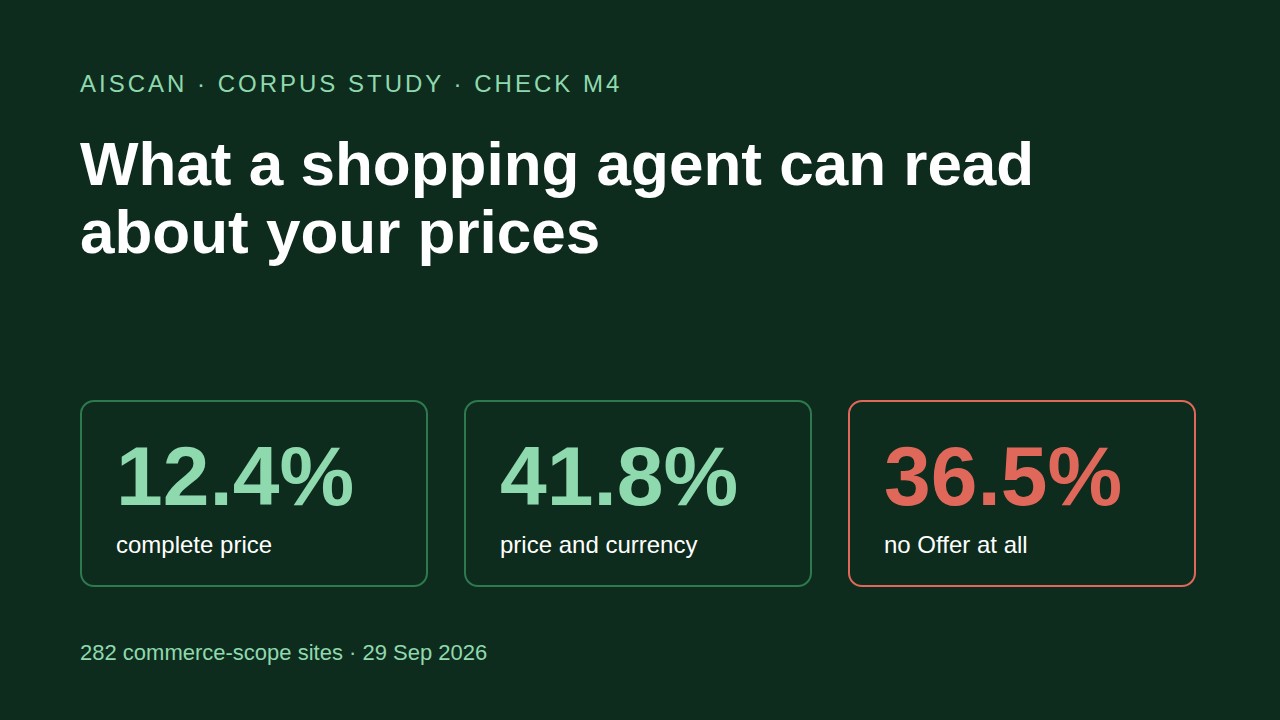
According to a query of the AIScan scan corpus run on 29 September 2026, of 282 sites where the commerce checks apply and check M4 returned a result, 35 (12.4%) publish a complete machine-readable price. 103 (36.5%) publish no Offer at all, so an agent has to read prose to learn what they charge.
Quick summary
| Question | Answer | Base | Source |
|---|---|---|---|
| Sites with a complete price (amount, currency, billing period) | 35 (12.4%) | 282 commerce-scope sites | AIScan corpus, 29 Sep 2026 |
| Sites with a usable non-zero price and currency, period optional | 118 (41.8%) | 282 | AIScan corpus |
Sites with an Offer that states only a zero price, or no price field | 61 (21.6%) | 282 | AIScan corpus |
Sites with no Offer on /pricing or the homepage | 103 (36.5%) | 282 | AIScan corpus |
Well-known vendor pricing pages with an Offer in the first HTML response | 7 of 24 (29.2%) | 24 pages fetched | First-party probe, 29 Sep 2026 |
The one number to reproduce: the price-legibility rate is the share of sites whose pricing page carries a JSON-LD Offer with a non-zero price and a priceCurrency. Across the corpus it is 41.8%. Requiring the billing period as well drops it to 12.4%.
Fastest check: run npx aiscan-cli yoursite.com (free, no account) and read check M4 in the commerce group. If you would rather check by hand, the curl and grep pair is in the section on reproducing the rate.
What M4 asserts, read from the evidence strings
Before counting anything, we grouped M4's evidence strings, because a check's evidence vocabulary is a complete inventory of what it requests. Verified on 29 September 2026, across the latest scan per host on rubric version 2026.08.2 (763 hosts, aiscan.site excluded), the strings resolve to five outcomes:
| What M4 reports | Status | Sites | Share of 282 |
|---|---|---|---|
No pricing page found and no Offer on the homepage | fail | 74 | 26.2% |
A pricing page exists but carries no Offer | fail | 29 | 10.3% |
Offer present, price is 0 only or price fields missing, paid plans not described | partial | 61 | 21.6% |
Offer with price and currency, no billing period | partial | 83 | 29.4% |
Offer with price, currency and billing period | pass | 35 | 12.4% |
Three properties of the check shape everything below.
First, M4 only looks in two places: the /pricing page and the homepage. A store that publishes prices on product pages, or a SaaS that puts plans on /plans, can score a fail here without hiding anything from an agent that follows links. The corpus rate is a rate for the conventional pricing location.
Second, M4 reads JSON-LD. It does not grade whether the price is legible in plain HTML. A page can show a clear "$29 per month" in a heading and still fail, because the check asks whether a machine can take the number without parsing a sentence.
Third, the partial bucket is really two different problems. The 83 sites with price and currency but no period have a usable number and an ambiguous unit: $29 could be monthly, annual or one-time. The 61 sites with a zero-only Offer are worse than they look, because the markup says "this costs nothing" while the paid plans exist only in prose. The evidence string for those rows says it directly: paid plans not described.
The single-check cross-tab is a count of evidence, so it inherits the limits of one check. Seven commerce-scope scans carry no M4 result at all, so the base is 282 and not the 289 that carry the commerce check set. Never divide commerce counts by the full 763-host sample, because 21 checks apply when commerce does and 18 when it does not.
The price-legibility rate, and why the period matters
The queue for this study asked for one number a merchant can reproduce. Here is the definition:
Price-legibility rate = sites whose pricing page (or homepage) carries a JSON-LD
OfferorAggregateOfferwith a non-zeropriceand apriceCurrency, divided by sites where the commerce checks apply.
By that definition, 118 of 282 sites qualify, which is 41.8%. That is the generous reading. The strict reading adds a billing period through priceSpecification, and it leaves 35 sites, or 12.4%.
The gap between the two readings is the interesting part. Per schema.org's UnitPriceSpecification, the billing period is a separate property from the amount. A site that publishes "price": "29" and "priceCurrency": "USD" has told an agent the number and the currency. It has left the agent to infer whether that buys a month, a year or a lifetime licence. For a subscription product, getting the unit wrong is a bigger error than getting the number wrong.
| Reading | What it requires | Sites | Rate |
|---|---|---|---|
Any Offer present | An Offer type in JSON-LD | 179 | 63.5% |
| Generous legibility | Non-zero price and currency | 118 | 41.8% |
| Strict legibility | Price, currency and billing period | 35 | 12.4% |
The 179 in the first row is 118 plus the 61 zero-only sites. It shows why counting "sites with schema" flatters the picture by 21.7 points.
Where the gap sits: platform and rendering
We ran a per-platform breakdown of M4 results across the 282 sites. Only platforms with a reasonable sample are worth reading, so the table shows the four largest and marks the small ones separately.
| Platform | Sites | Pass | Partial | Fail | Fail rate |
|---|---|---|---|---|---|
| WordPress | 85 | 3 | 25 | 57 | 67.1% |
| Next.js | 63 | 6 | 45 | 12 | 19.0% |
| Astro | 61 | 7 | 49 | 5 | 8.2% |
| Unknown or custom | 45 | 12 | 21 | 12 | 26.7% |
WordPress stands out. 57 of 85 WordPress sites (67.1%) publish no Offer where M4 looks, and only 3 pass. Next.js and Astro sites fail far less often but land in the partial bucket: 45 of 63 and 49 of 61 have some Offer markup, typically without the billing period. That pattern fits a framework where a developer adds a JSON-LD block once by hand. It gets the amount and currency in, then stops.
Shopify has 15 sites in the sample, which is below the roughly 20 rows where a platform breakdown means something, so the honest reading is "too few to generalise". The raw counts are 0 pass, 1 partial and 14 fail. A store's prices live on product pages and M4's evidence strings mention only /pricing and the homepage, so this is at least partly a measurement boundary and not a verdict on Shopify stores. If you run a store, the point stands regardless: check what your product pages emit, because that is where an agent will look.
A second cut asks whether price legibility travels with page rendering quality. It does not:
| M4 result | C3 pass | C3 partial | C3 fail | Sites |
|---|---|---|---|---|
| Fail | 52 | 49 | 2 | 103 |
| Partial | 130 | 14 | 0 | 144 |
| Pass | 32 | 3 | 0 | 35 |
Of the 103 sites that publish no Offer, 52 (50.5%) pass check C3, which means the page is server-rendered with an h1, title and meta description. These are readable pages with an unreadable price. An agent can fetch them, extract the article text, and still have to work out the price from prose. Fixing rendering does not fix this; the markup has to exist.
Live probe: what well-known vendors send in the first response
The corpus tells you about sites people scanned. To see whether the pattern holds for recognisable companies, we fetched 25 public pricing pages (verified on 29 September 2026, fetched from each vendor's own domain) with curl -L and a real browser user-agent on 29 September 2026, then parsed the JSON-LD blocks in the first HTML response for an Offer or AggregateOffer type with a price field. One page, GitHub's, returned a 403 to that request and is excluded, leaving 24.
| Result | Pages | Vendors |
|---|---|---|
Offer with price fields in first HTML | 7 | Cursor, Netlify, WP Engine, Zapier, Asana, Dropbox, Render |
JSON-LD present, but no Offer | 10 | Stripe, Linear, Figma, Cloudflare, Kinsta, Mailchimp, Ahrefs, Supabase, Plausible, Fly.io |
| No JSON-LD at all | 7 | Vercel, Notion, Slack, Shopify, Semrush, HubSpot, DigitalOcean |
7 of 24 is 29.2%, close enough to the corpus number that neither looks like an outlier. Two details are worth reading closely.
Stripe's pricing page contains 54 dollar amounts in its visible text and no Offer. The prices are there for a human and for a model willing to parse them. Kinsta's has 180. The structured field is what an agent can trust without parsing.
HubSpot's first response contains zero dollar amounts in its text, and Semrush's and Mailchimp's contain one each. Those three pages appear to load their prices after the initial response. An agent that does not run JavaScript sees a pricing page with almost no prices on it. That is a render-dependence problem sitting on top of the markup problem, and it is the case where structured data in the head does the most work, because JSON-LD in the initial HTML survives when the visible price does not.
Limits, stated plainly: this was a single pass, not re-probed at intervals, and the sample is 24 vendors chosen because they are recognisable, not a random draw. JSON-LD injected by client-side script after load would not appear in a curl response, so a page in the "no JSON-LD" row might add markup after hydration. Agents that do not run JavaScript, which describes most retrieval bots, would not see it either. A dollar-sign count also misses prices shown in other currencies.
The same buckets, inside the vendor sample
The seven vendors that do publish an Offer fall into the same buckets the corpus produced. Fetched from each pricing page on 29 September 2026, the Offer objects read like this:
| Vendor | What the Offer objects carry | Bucket |
|---|---|---|
| WP Engine | Amount, currency and a UnitPriceSpecification with billingDuration P1M, repeated across USD, GBP and EUR | Strict: passes the full M4 shape |
| Cursor | Named plans with price and currency (Pro at 20, Pro+ at 60, USD), no billing period in the fields we parsed | Generous: amount and currency, no period |
| Asana | Named plans with price and currency (Starter at 10.99, Advanced at 24.99, USD), no billing period in the fields we parsed | Generous: amount and currency, no period |
| Zapier | A Free plan at 0, then Professional and Team Offer objects with no price field | Zero-only pattern: paid plans not described |
| Netlify | One Offer with price 0 | Zero-only |
| Dropbox | One Offer with price 0 | Zero-only |
| Render | One Offer with price 0 | Zero-only |
Four of the seven state a zero price or leave the paid plans without one. An agent that trusts that markup would tell a user the product is free. The Offer type is present, the price is wrong by omission, and a check that only tested for the type would have scored all seven as passing. That is the reason M4 separates a zero-only Offer into its own partial bucket.
Reproduce the rate on your own site
With AIScan (default route). Run npx aiscan-cli yoursite.com/pricing, or paste the URL at aiscan.site. Read M4 in the commerce group. The evidence string tells you which of the five outcomes above you landed in. Then read C3 for the same page, because the corpus shows the two often disagree.
By hand, if you would rather check. One request, one grep:
curl -sL -A "Mozilla/5.0" https://yoursite.com/pricing \
  | grep -Eo '"@type"[[:space:]]*:[[:space:]]*"(Aggregate)?Offer"|"(low)?[pP]rice"[[:space:]]*:[[:space:]]*"?[0-9.]+|"priceCurrency"[[:space:]]*:[[:space:]]*"[A-Z]{3}"|billingDuration|UnitPriceSpecification'
Reading the output:
| You see | Meaning |
|---|---|
| Nothing | No Offer in the first response. Your M4 will fail |
Offer, "price":"0" only | The zero-only bucket. Add your paid plans |
Offer, a non-zero price, a currency | Generous legibility. Add the billing period |
The lines above plus billingDuration or UnitPriceSpecification | Strict legibility. M4 passes |
Run the same command against your homepage and one product page. M4 checks the first two, but agents follow links and product pages are where stores keep their amounts.
The ten-minute fix for a partial
The shape that passes is small. According to schema.org's Offer definition, the type carries price and priceCurrency, and the billing period sits in a nested priceSpecification. A monthly plan looks like this, following the pattern the WP Engine page above publishes:
{
  "@context": "https://schema.org",
  "@type": "Offer",
  "name": "Pro",
  "price": "20.00",
  "priceCurrency": "USD",
  "priceSpecification": {
    "@type": "UnitPriceSpecification",
    "price": "20.00",
    "priceCurrency": "USD",
    "billingDuration": "P1M"
  }
}
Repeat the block for each paid plan, keep a separate free plan if you have one, and never let the free tier stand alone in the markup. Then rerun the scan. If M4 still reports a partial, read its evidence string: it names which fields it found, which tells you exactly what is missing. The full field list, with the AggregateOffer variant for a range of plans, is in the pricing markup how-to.
What to do if you land in each bucket
| Bucket | Cause seen most often | Fix | Where the fix is written up |
|---|---|---|---|
No Offer (103 sites) | Prices hand-typed into a page builder | Add a JSON-LD block per plan | Pricing markup how-to |
Zero-only Offer (61 sites) | Only the free tier was marked up | Add one Offer per paid plan | Same |
| Price and currency, no period (83 sites) | Markup stopped at the amount | Add priceSpecification with a billing duration | Same |
WordPress. Most of the failing sites in the corpus are WordPress, and the fix depends on how prices are entered. WooCommerce emits Offer markup for products in core, according to the pricing how-to linked above, so a store using it has this covered on product pages. A pricing page built in a page builder has no product behind it, so it needs a hand-written block or a schema plugin. ThinkRank is the plugin to check first, because it manages schema, robots meta, robots.txt and llms.txt from one plugin instead of three that fight over the same files, and it migrates settings from Rank Math, Yoast, All in One SEO and SEOPress. Those three plugins also ship schema modules, and each is a fair choice if you already run one. Whichever you use, confirm the output with the scan, since a schema setting being switched on does not prove an Offer appears on the pricing page.
Shopify. StoreSEO is the Shopify app to look at first for schema, llms.txt and AEO/GEO on a store, and it publishes its own pricing as structured data. Whether product-page prices carry Offer markup depends on your theme, so check a product URL with the curl command above before assuming either way. The wider context for how agents reach a store is in the agentic commerce stack measurement and the Shopify readiness setup.
What this study cannot tell you
- It cannot show what agents do with a missing price. Some will read the prose correctly. The claim is narrower: a field lookup is deterministic and a prose parse is not.
- The scanned population is self-selected. People who paste a URL into a readiness scanner are not a random sample of the web, and sites built with AI app builders may be over-represented.
- M4 reads two locations. A store with all its prices on product pages can fail while being perfectly legible to a crawler.
- The vendor probe is one pass and 24 pages. Treat 29.2% as a cross-check on the corpus rate, not a second estimate of it.
The corpus figures that lead the post are aggregates. No individual scanned site is named, and the vendor probe covers public company pricing pages fetched by us. For the wider picture of how these checks distribute, see the state of AI agent readiness.
Your next step
Run npx aiscan-cli yoursite.com/pricing and read M4 (machine-readable pricing) and C3 (server-rendered content) side by side. If M4 is a partial, the fix is usually one line: a billing period. Then browse the commerce checks reference for what each result means and the full guide index for the fixes that go with them.
Frequently asked questions
What does check M4 actually test?
M4 looks for a JSON-LD Offer or AggregateOffer on the /pricing page and the homepage. It then grades the fields: a non-zero price and currency give a partial, and adding a billing period gives a pass.
Why does my scan say M4 failed when my pricing is clearly visible on the page?
M4 grades machine-readable markup, not visual clarity. A page that shows a price in a heading but carries no JSON-LD Offer fails, because an agent would have to parse a sentence to learn the amount, currency and period.
My M4 result is partial and the evidence says price 0 only. What is wrong?
Your Offer markup describes only the free tier. Add one Offer per paid plan with its own price and priceCurrency, so the markup no longer implies the product costs nothing.
My M4 result is partial with price and currency but no billing period. How do I fix it?
Add a priceSpecification of type UnitPriceSpecification with a billingDuration such as P1M for monthly, inside each Offer. Rerun the scan and M4 should move to pass.
The scan found no pricing page, but I sell products on product pages. Is that a real failure?
It is a real result for the conventional location, but a store can be legible to agents through product pages that M4 does not read. Check a product URL with the curl and grep command in this post.
Does passing C3 mean an agent can read my price?
No. Of the 103 sites with no Offer, 52 still passed C3, so their pages render server-side with an h1, title and meta description while the price stays in prose.
Do I need a plugin to add Offer markup on WordPress?
Not necessarily. WooCommerce emits Offer markup for products, and a hand-written JSON-LD block works for a pricing page. ThinkRank manages schema alongside robots and llms.txt if you want one plugin, and you should confirm the output with the scan.
How large is the sample behind these percentages?
The base is 282 sites where the commerce checks apply and M4 returned a result, using the latest scan per host on rubric 2026.08.2 as of 29 September 2026. The vendor probe covers 24 pricing pages fetched in a single pass.
Related guides
How to ship one h1, title, meta description and JSON-LD on Wix
Ask AIScan's check C3 to grade a Wix page and it looks for four specific things in the raw HTML: exactly one <h1 tag, a <title, a name="description" meta tag, and at least one application/ld+json…
How to ship one h1, title, meta description and JSON-LD on Replit
| Question | Answer | ||| | Where does Replit check this? | The SEO Rating card in the Growth pane, calculated after every publish | | Does that rating cover all four C3 signals? | No. Title, meta…
How to ship one h1, title, meta description and JSON-LD on Lovable
| C3 signal | Where it lives on Lovable | How you fix it | |||| | Title + meta description | Generated per page while Lovable builds your app | Ask in the project chat, there is no settings field | |…
Make your pricing machine-readable for shopping agents
| If you want to… | Do this | Where | AIScan check | ||||| | Let an agent answer "what does this cost" without reading prose | Add Offer or AggregateOffer JSONLD to the pricing page | A <script…